

If Cloudflare’s firewall is accidentally blocking your hosting provider’s IP, your site can go offline or fail critical tasks like backups and webhooks. In this guide you’ll create a simple IP whitelist rule so only your trusted server addresses bypass the firewall, keeping your site protected while ensuring your host can always reach it.
By the end of the tutorial you’ll have a live rule that skips the WAF for your hosting IPs, giving you peace of mind and zero downtime.
- Open Cloudflare Security settings
- Create the IP whitelist rule
- Choose which WAF parts to skip
- Deploy and test the rule
Step-by-step walkthrough
-
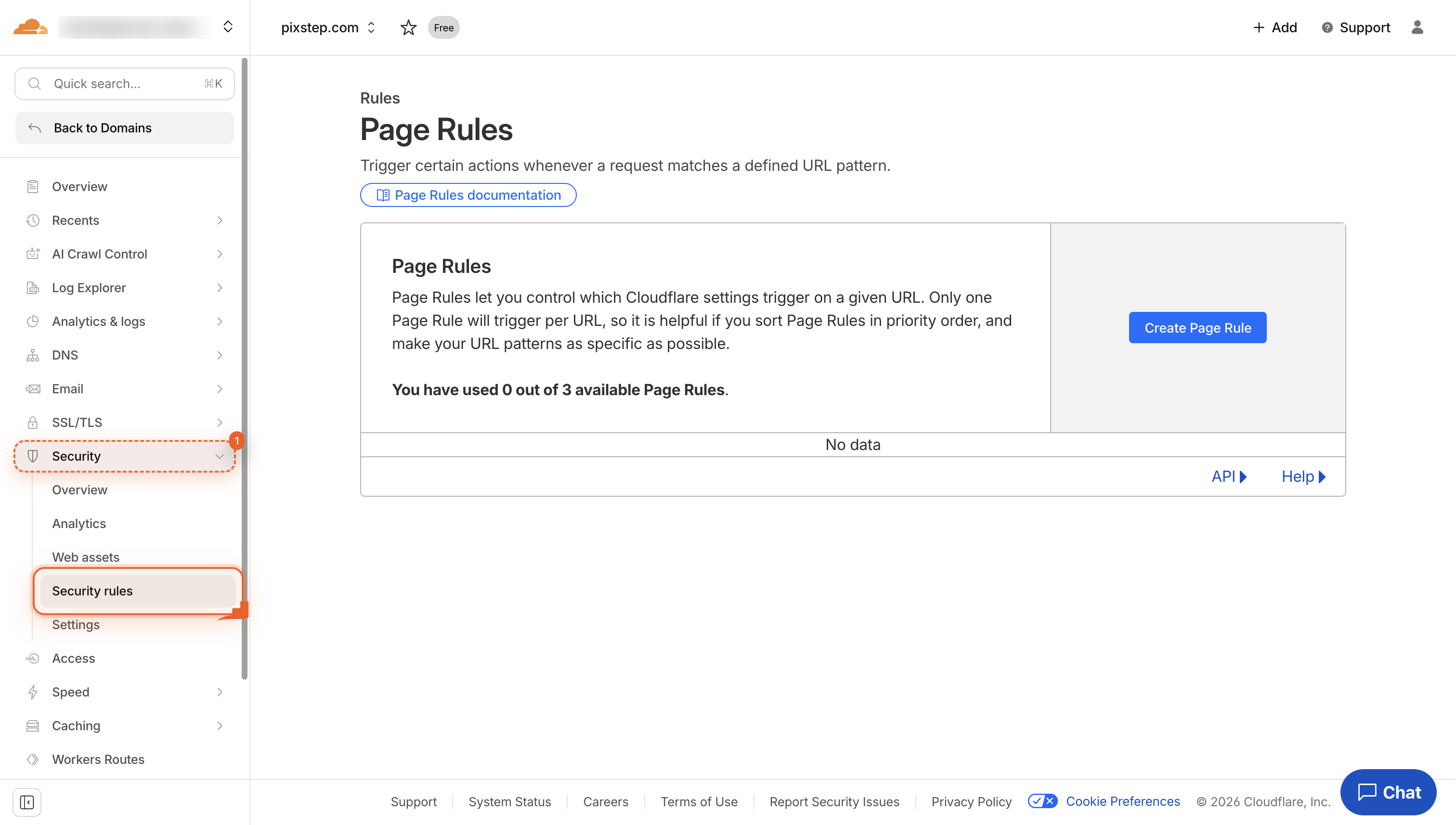
Open Security
Navigate to dash.cloudflare.com/9ce1d56ca43d962953e5cd16a702e154/pixstep.com/rules/page-rules. Click the Security button in the left menu. This shows all site protection tools.
-
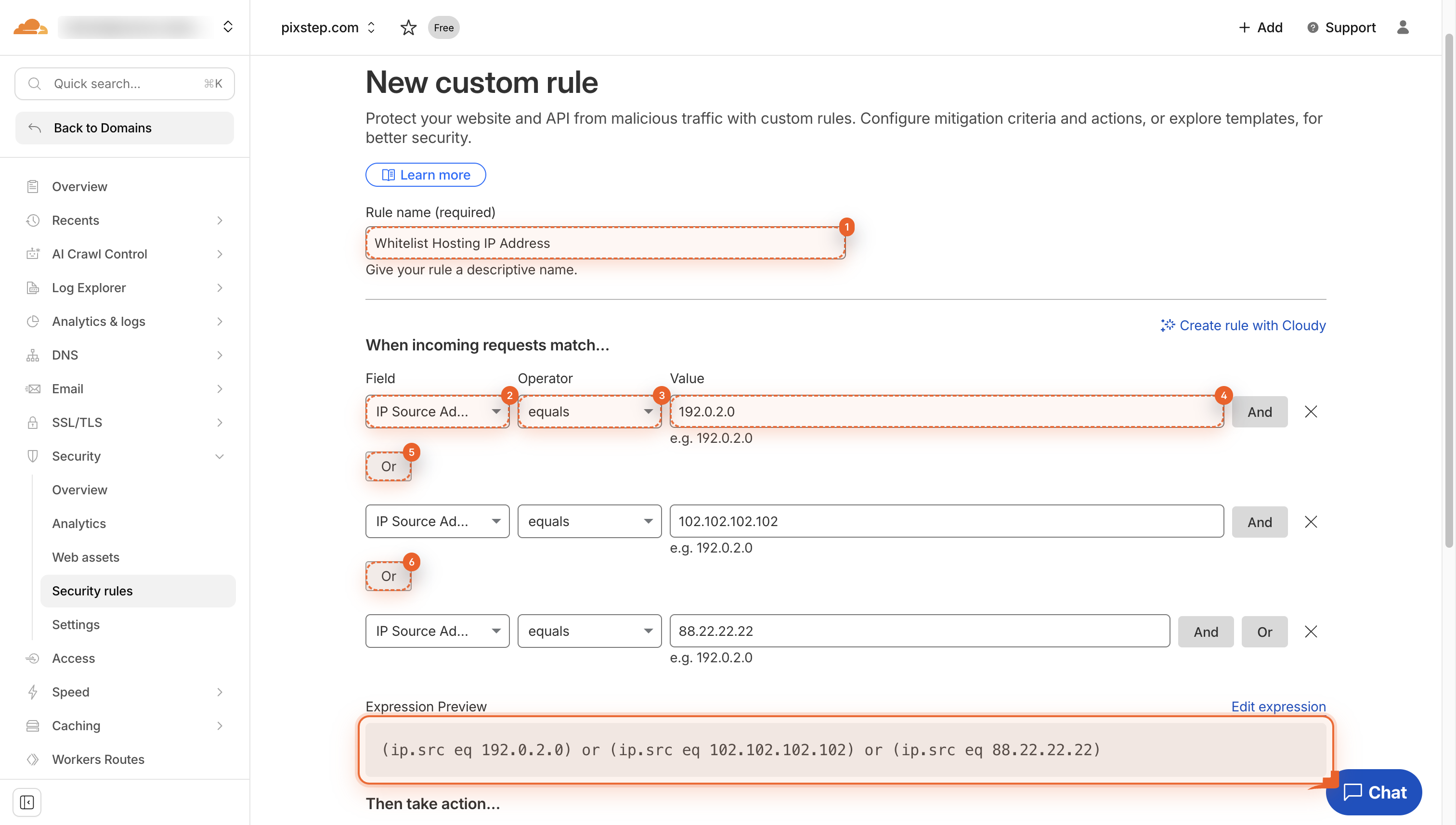
Build IP whitelist rule
Name the rule, pick IP Source Address, choose equals, type the first safe IP, then click Or to add the rest. This lets only these IPs reach your site.
-
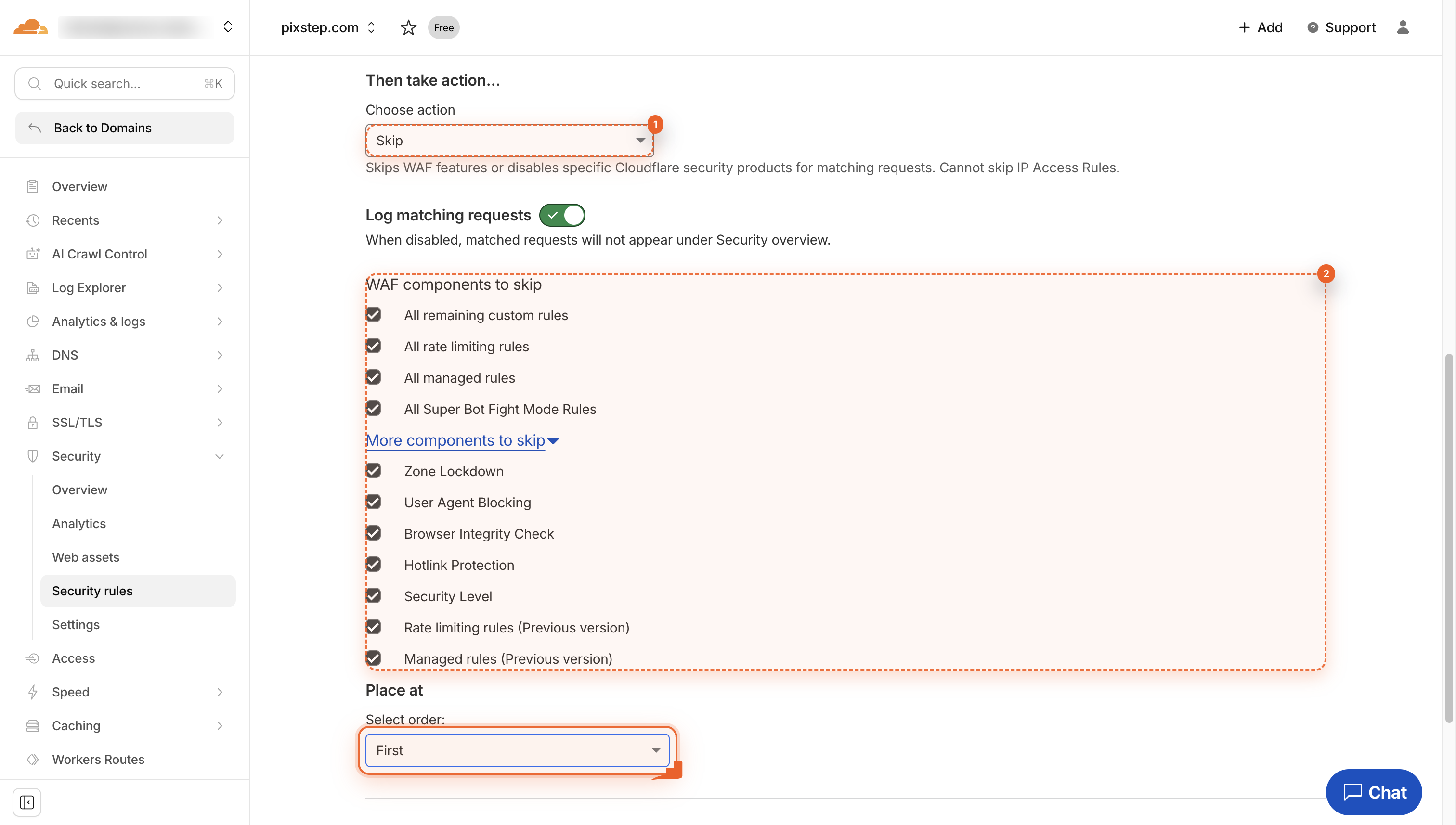
Choose Skip and WAF parts
Click Skip. Then check the boxes for the WAF parts you want this rule to skip. This tells Cloudflare which protections to bypass.
-
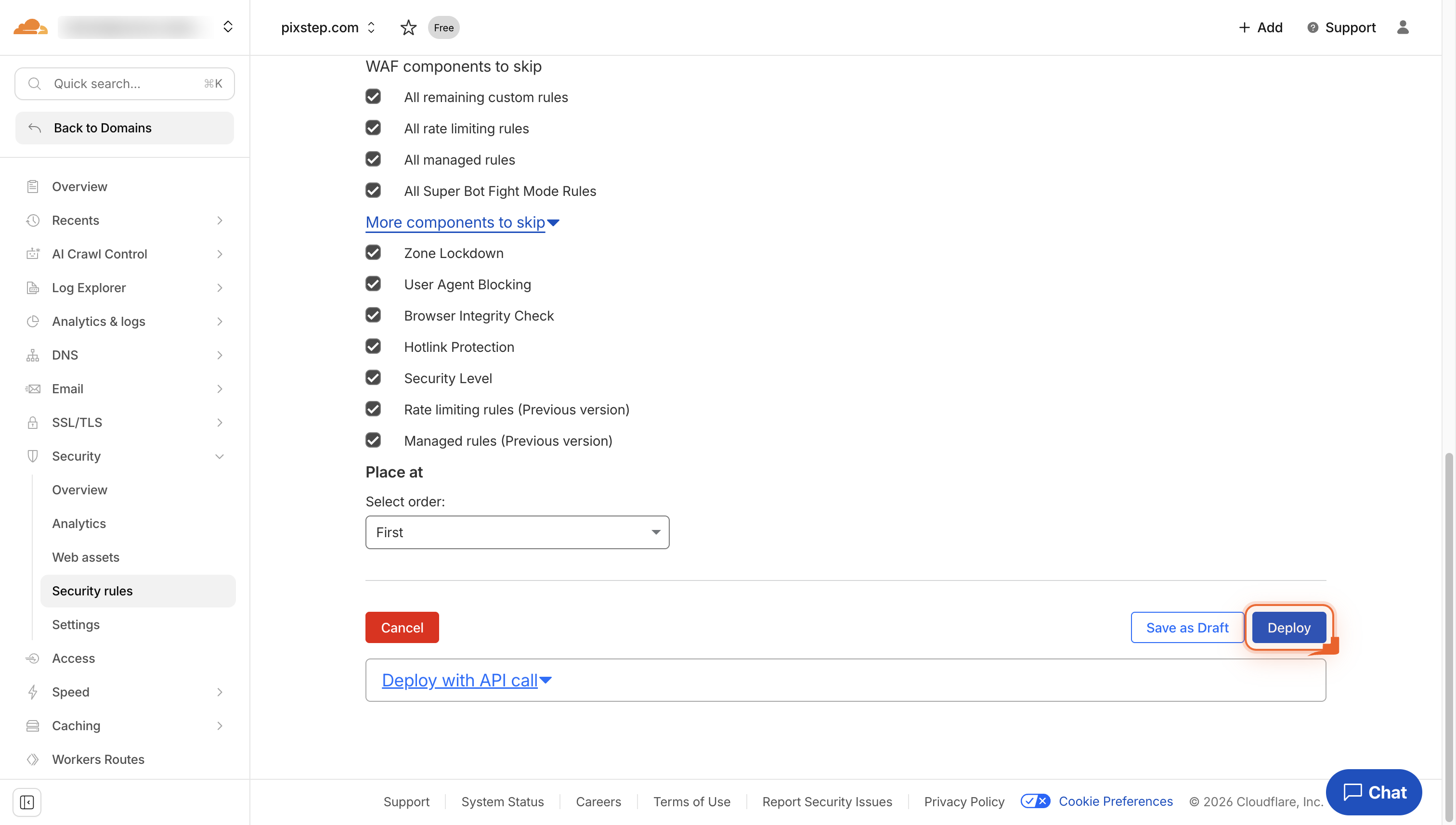
Deploy the rule
Click Deploy to make your rule live. This blocks matching traffic right away.
Pro Tips
- Store your host’s IPs in a Cloudflare List so you can edit once and reuse everywhere.
- Always test with a staging domain or incognito window to confirm the rule works before trusting it.
- Enable rule logging to watch for unexpected blocks and fine-tune the list quickly.
- Set a calendar reminder to review the whitelist monthly-hosting IPs can change without notice.
FAQ
- Q: Will whitelisting my host’s IP disable DDoS protection for those addresses?
- A: No. When you choose “Skip” you decide which parts of the WAF to bypass. Leave DDoS boxes unchecked and Cloudflare still scrubs bad traffic from those IPs.
- Q: How often should I update the whitelist?
- A: Review it monthly or whenever your host notifies you of IP changes. A quick calendar reminder keeps the list accurate and prevents accidental blocks.
- Q: Can I reuse the same list for multiple sites?
- A: Yes. Save the IPs in a Cloudflare List, then reference that list in firewall rules across all your domains-edit once, apply everywhere.
With the new whitelist rule active, your hosting IPs can always reach your site while every other visitor still enjoys Cloudflare’s full protection. Keep the list updated and you’ll never lose sleep over accidental blocks again.
Join the discussion
0 Comments