

You’re about to give your site a speed boost, a security shield, and a global CDN-all in one tidy package. In the next few minutes you’ll point your domain to Cloudflare so visitors reach the nearest edge server instead of trekking back to your origin host.
Follow the eight quick steps below and you’ll see the orange cloud icon light up, confirming your traffic is now protected, compressed, and cached worldwide-no code changes required.
- Add your domain to Cloudflare
- Pick the right plan
- Review and confirm DNS records
- Disable DNSSEC at your registrar
- Replace old nameservers with Cloudflare’s
- Verify the nameserver switch
- Wait for global propagation
- Confirm the orange-cloud protection
Step-by-step walkthrough
-
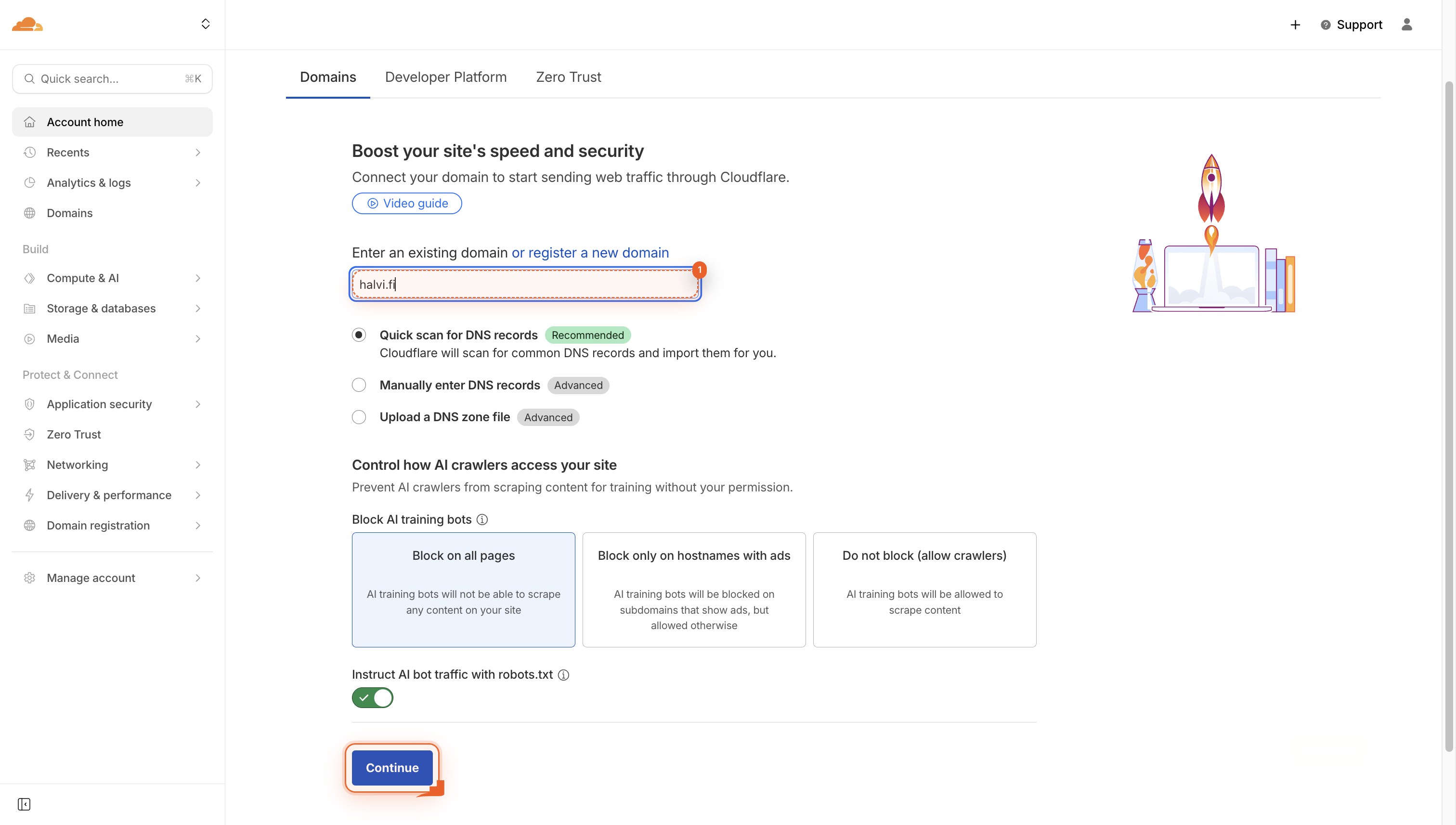
Navigate to your domains page
Go to your domains page, type your domain name into the field, and click Continue to add it.
-
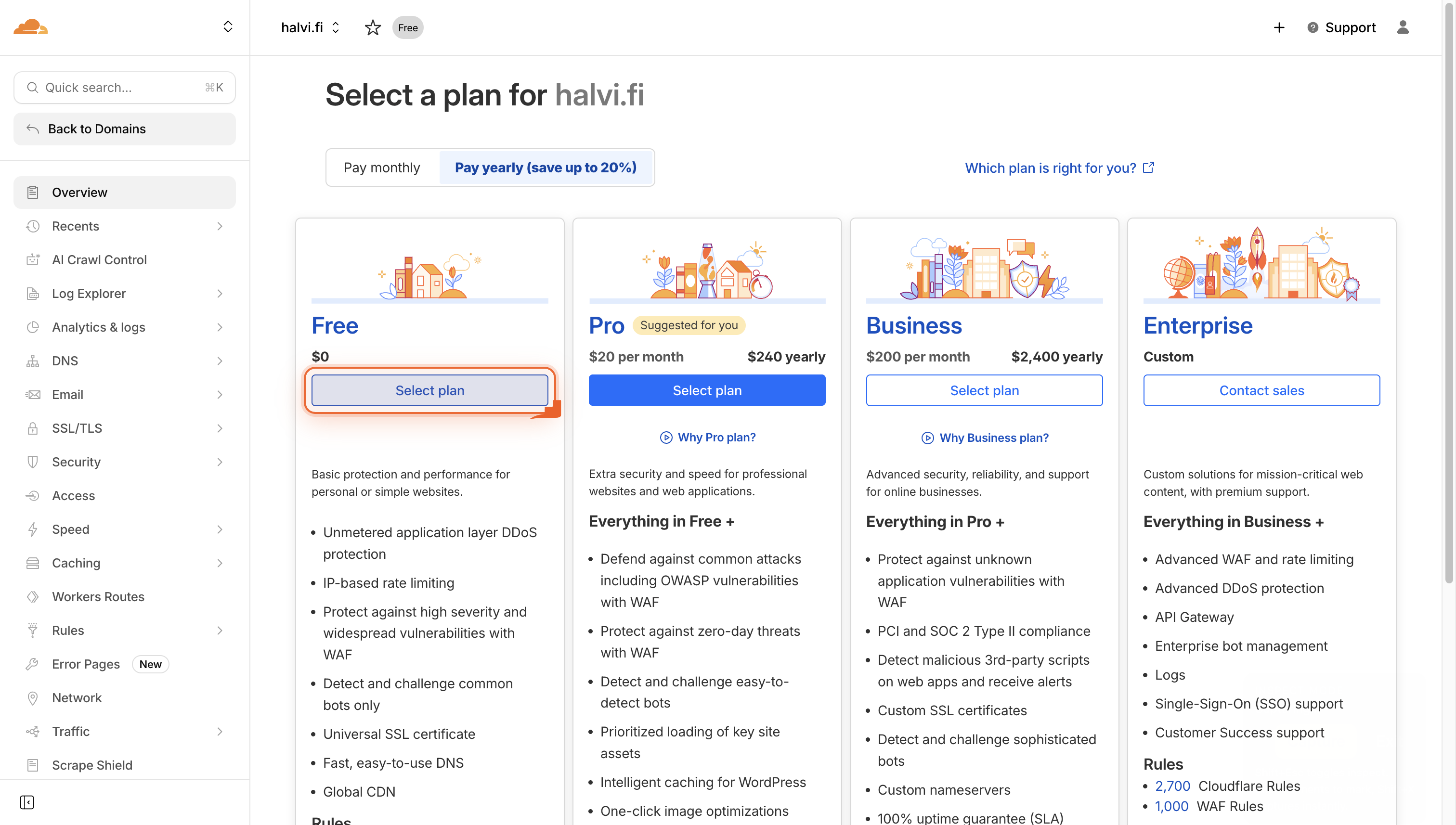
Select your plan
Click ‘Select plan’ to choose the subscription that fits your needs.
-
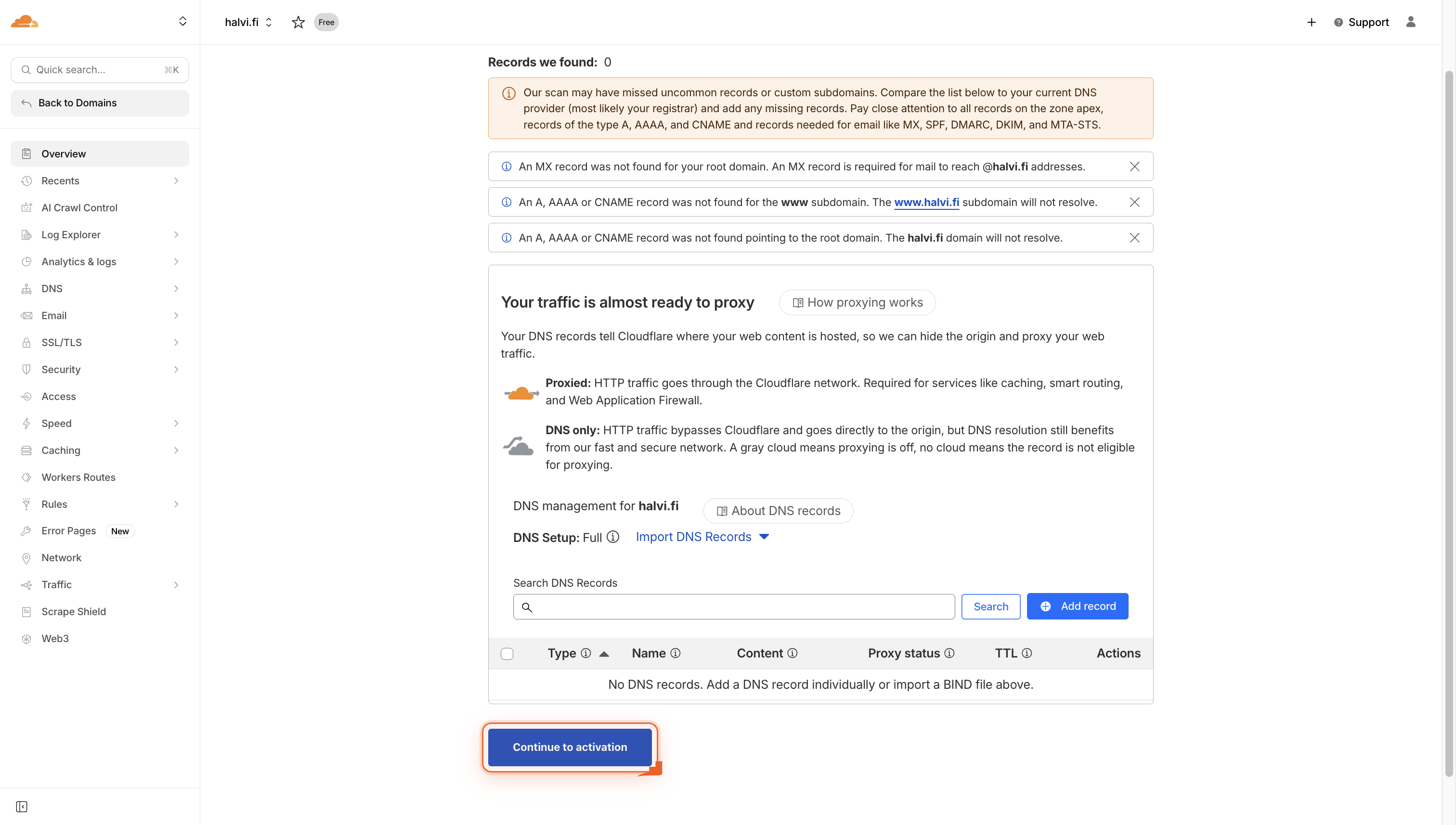
Click Continue to activation
Click the button to proceed after reviewing your DNS records. This moves you to the next step.
-
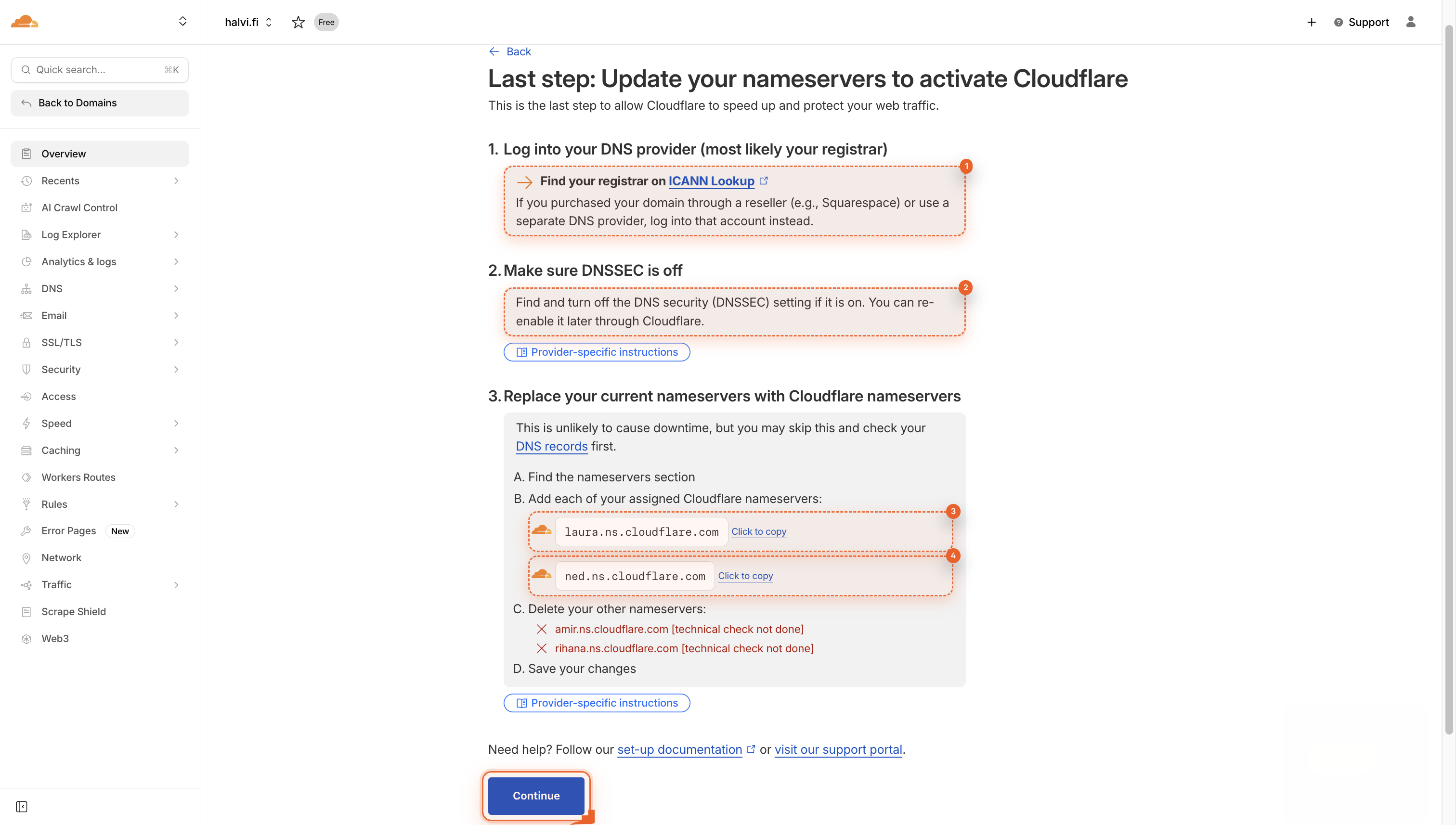
Follow the setup instructions
You’ll see four key instructions. First, find your registrar. Then, turn off DNSSEC. Finally, copy the two nameservers shown.
-
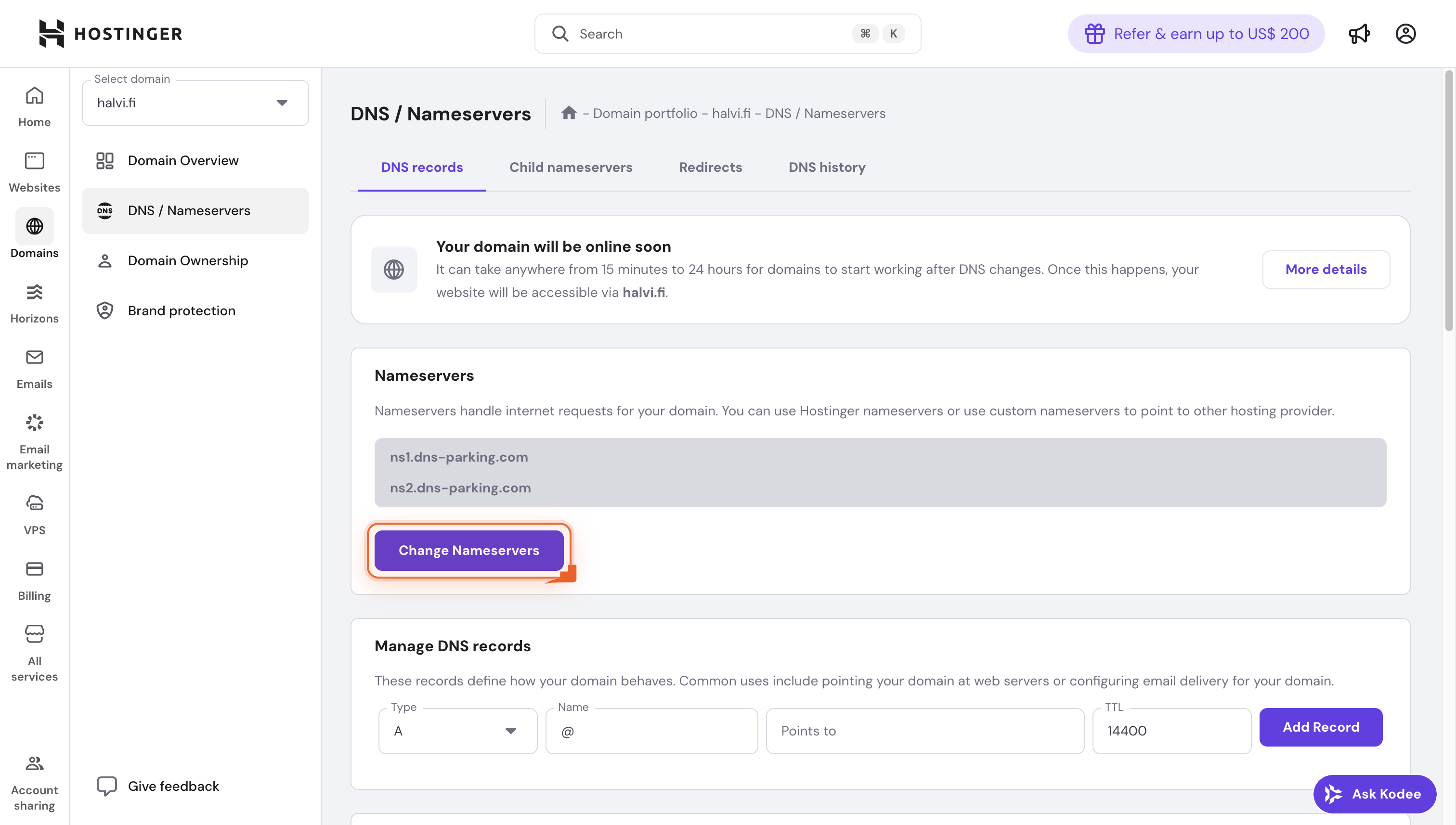
Now go to your DNS Manager panel of domain. Click Change Nameservers
Click Change Nameservers to tell your domain where to look for your site. You can keep default ones or enter custom ones.
-
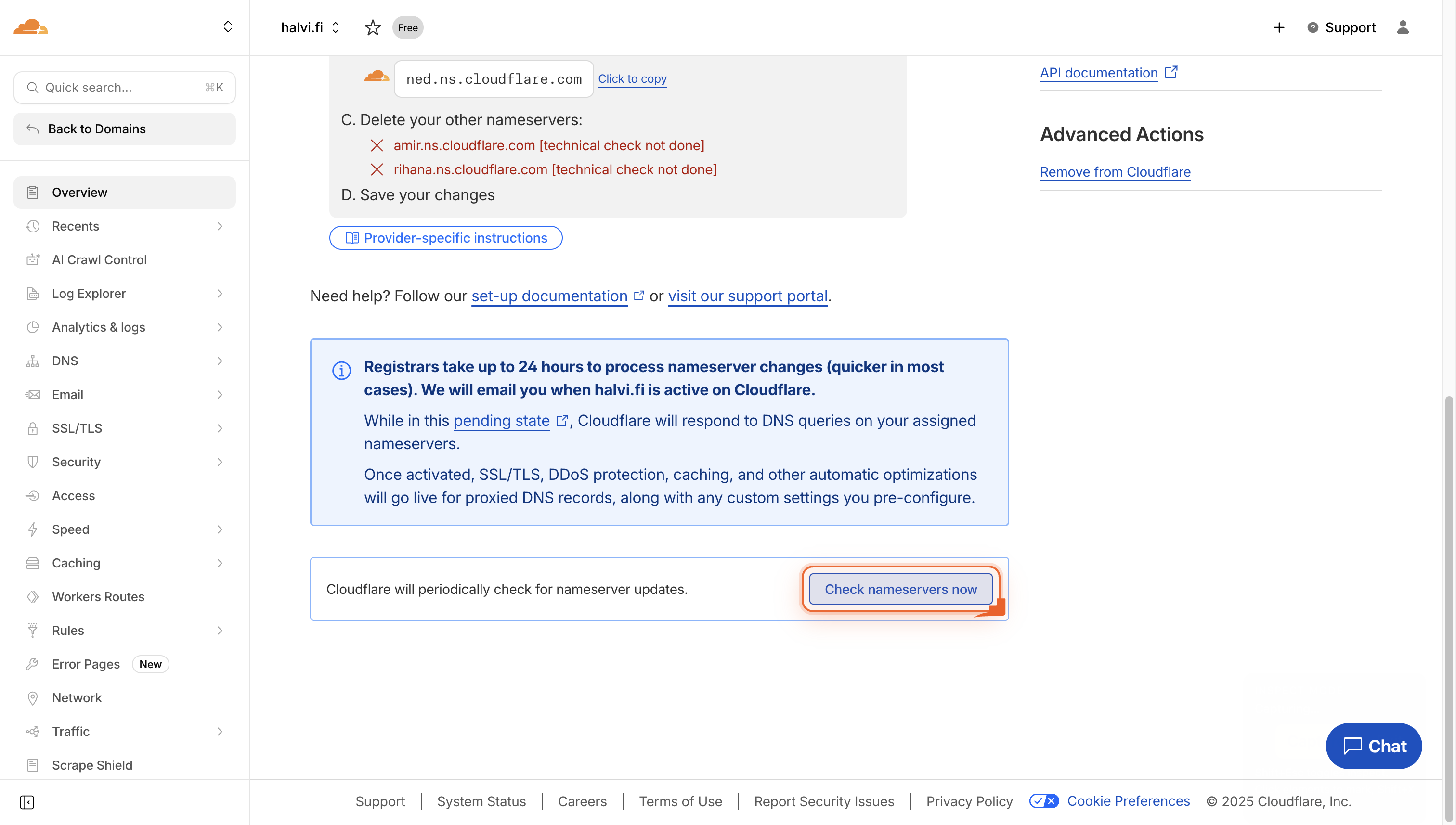
Check your nameservers now
Click the button to verify your domain’s nameservers are correctly set up.
-
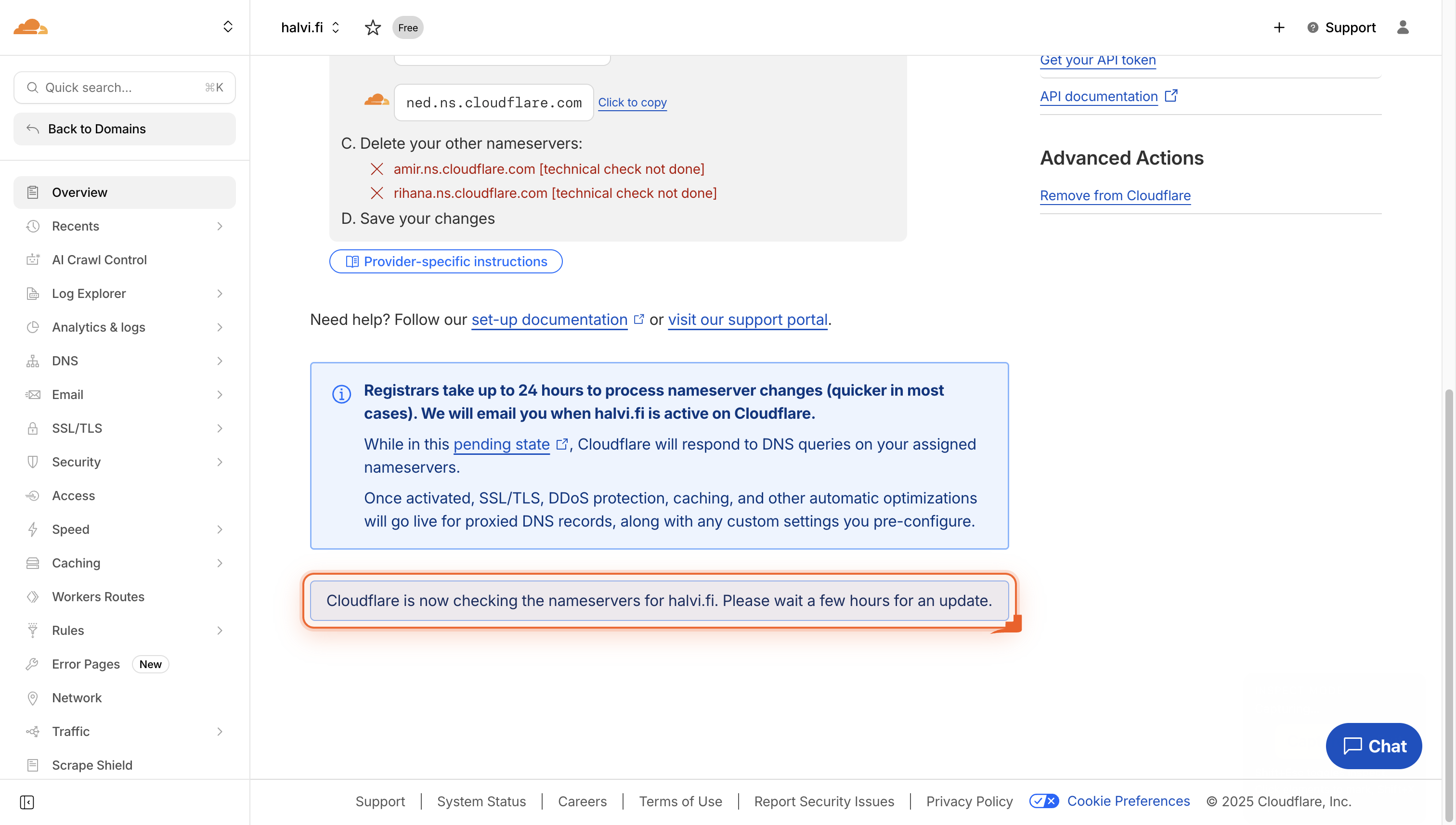
Wait for nameserver verification
Cloudflare is now checking your nameservers. Please wait a few hours for the update to complete.
-
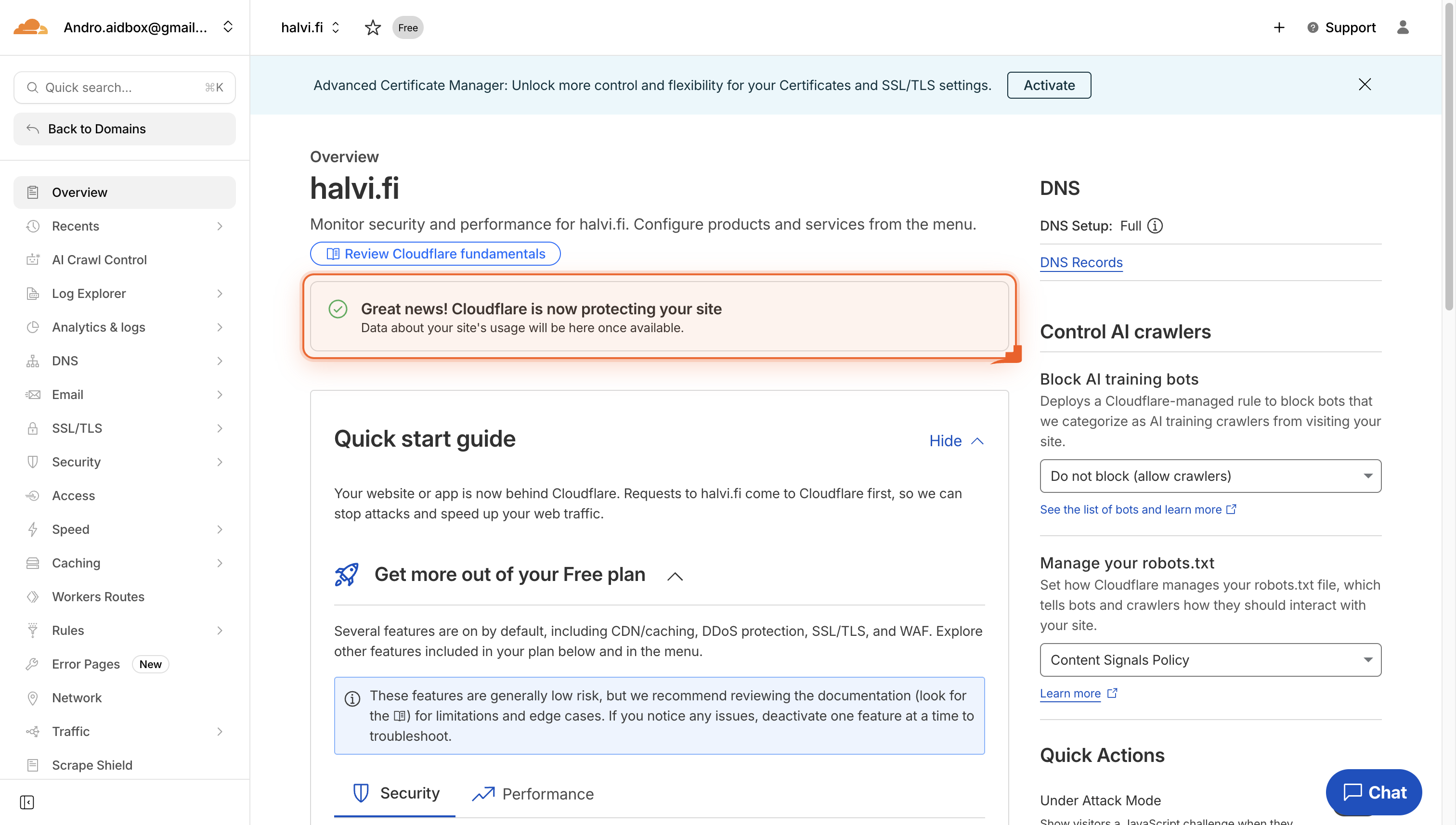
Your site is now protected and connected with Cloudflare
You’ll see a confirmation message that Cloudflare is now protecting your site. Your data will appear here soon.
Pro Tips
- Lower TTL to 300 s 24 h before the switch so propagation finishes faster.
- Paste both Cloudflare nameservers into a plain-text file to avoid typos.
- Disable DNSSEC at your registrar first; activation fails if it’s still on.
- Orange-cloud only A/AAAA/CNAME records you want cached; leave MX gray.
FAQ
- Will my site go down while I switch nameservers?
- No. If you leave your origin server running and copy the exact DNS records Cloudflare finds, visitors keep reaching your site. Most users notice zero downtime.
- How long before the new nameservers take effect?
- Global DNS propagation usually finishes within 15-30 minutes, but it can take up to 24 hours. You can watch progress in Cloudflare’s dashboard or use a global DNS checker.
- Do I still need hosting after pointing my domain to Cloudflare?
- Yes. Cloudflare acts as a protective layer in front of your host; it doesn’t store your site files. Keep your existing hosting plan so Cloudflare has an origin server to pull from.
That’s it-your domain now rides Cloudflare’s global network, so every visitor gets faster load times, automatic HTTPS, and enterprise-grade DDoS protection without touching a line of code. Keep an eye on the dashboard: as traffic flows, you’ll see real-time savings in bandwidth and server load, all for free.
Join the discussion
0 Comments