

If you run a global site, you’ve probably noticed unwanted traffic from specific countries-spam sign-ups, brute-force attacks, or content scraping. Blocking those visitors at the edge keeps your origin server calm and your analytics clean. In this quick guide you’ll build a single Cloudflare WAF rule that stops an entire country (or continent) from reaching your WordPress site-no plugins, no code changes, and the block activates worldwide in under a minute.
- Open Security rules
- Create a new rule
- Define the country block
- Activate and deploy
Step-by-step walkthrough
-
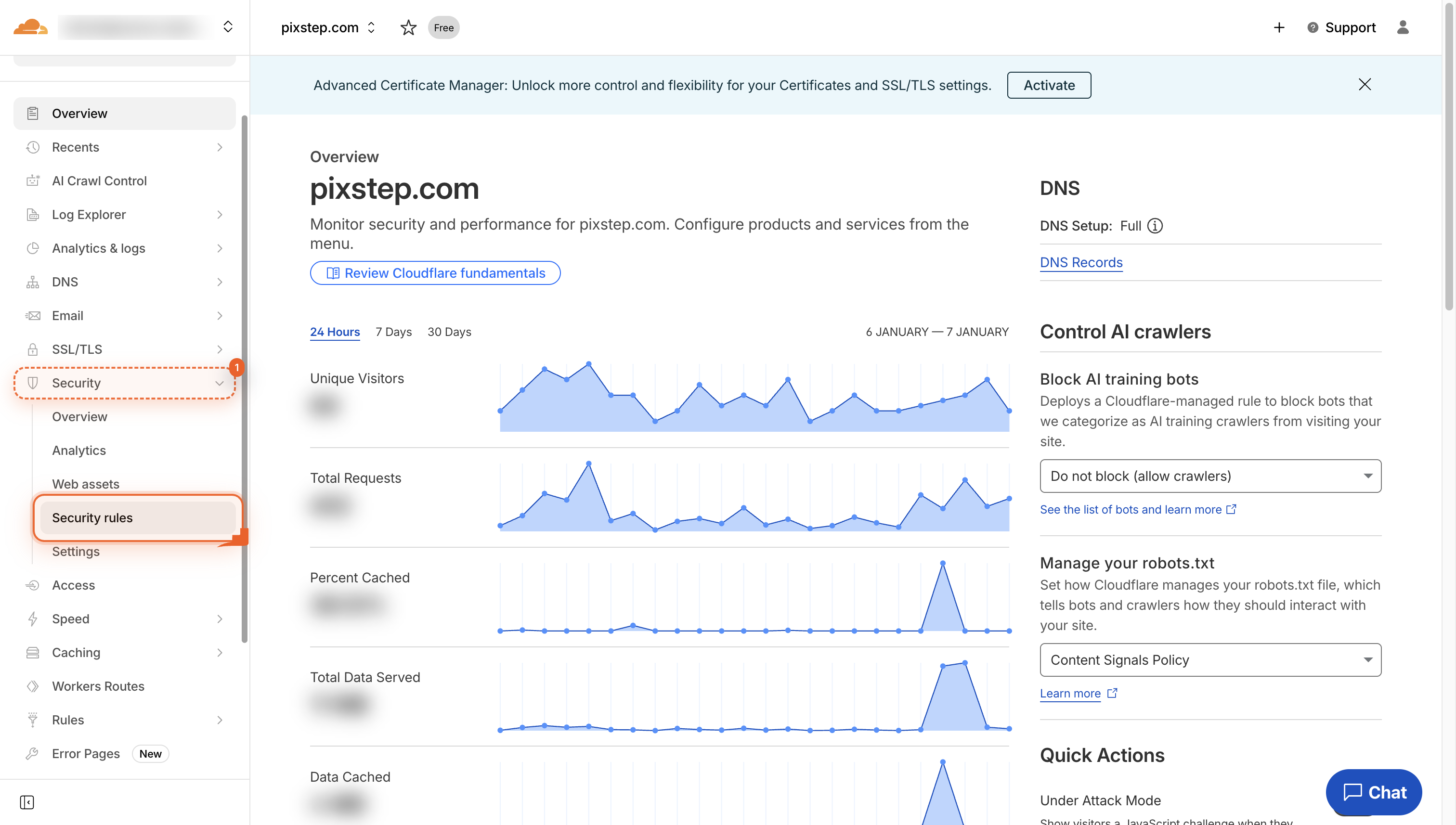
Go to Security
Navigate to Security in the left menu so you can open the rules that protect your site.
-
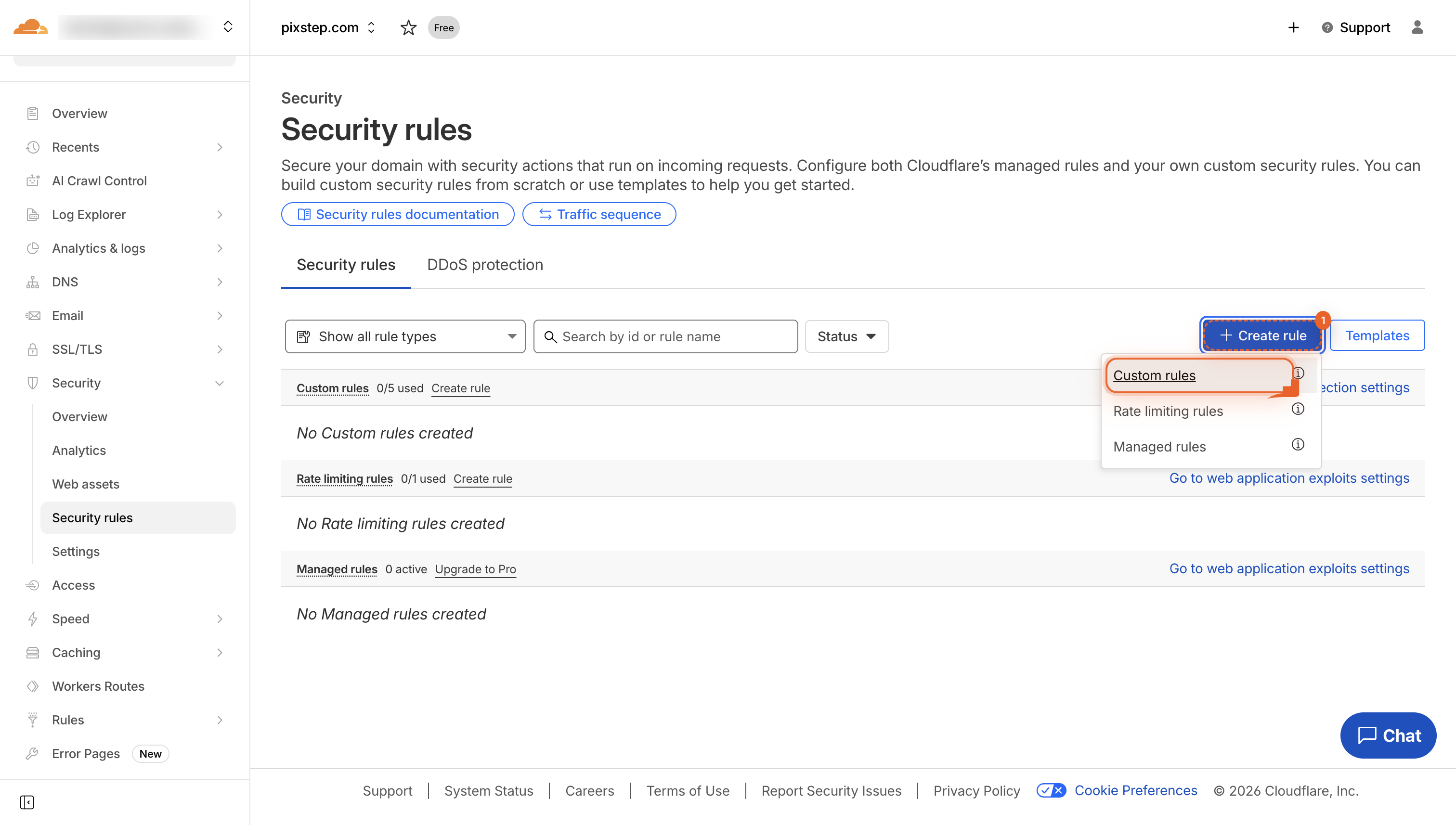
Click Create rule
Click Create rule to start building your own security rule.
-
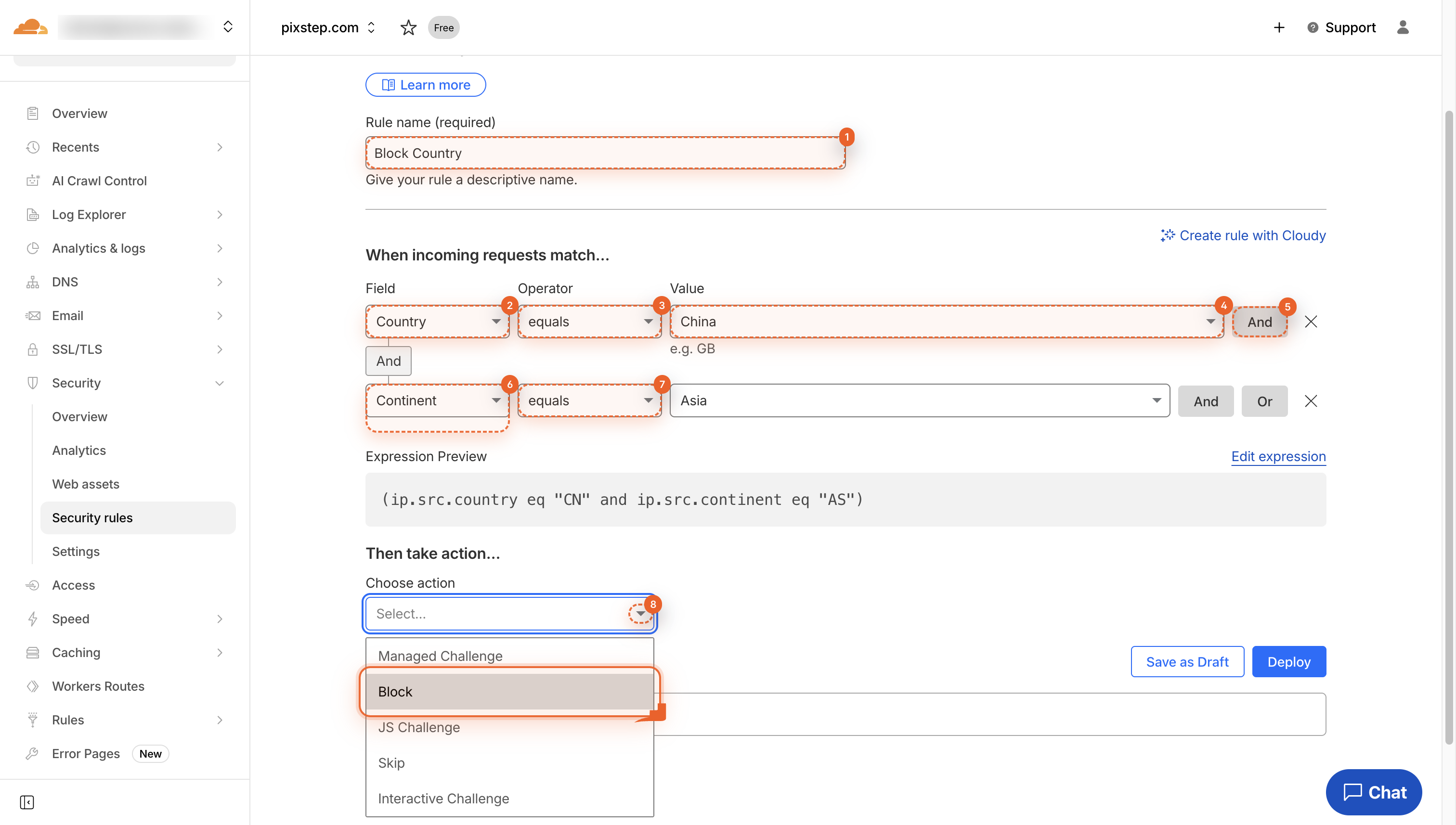
Build the block rule
Name the rule “Block Country”, set Country equals the country you want to block, click And, then add Continent if you like. This tells Cloudflare whom to block.
-
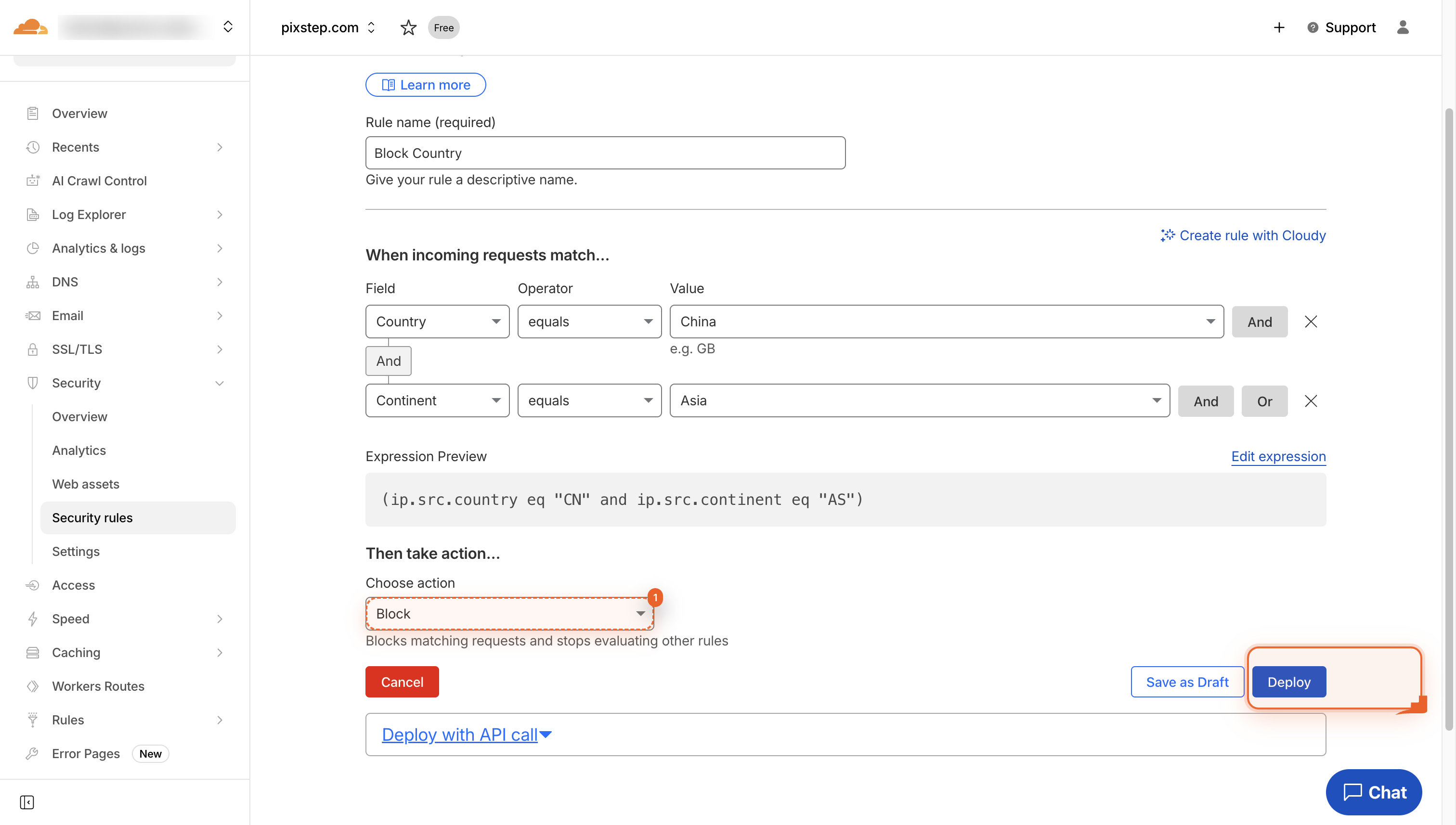
Choose Block and Deploy
Click Block so the rule stops matching traffic. Then click Deploy.
Pro Tips
- Test the rule with a VPN before announcing the change.
- Log blocked visits for 24 h to confirm no legit traffic is lost.
- Use “Challenge” instead of “Block” if you want to allow real users a second chance.
- Review the rule monthly-IP geolocation data drifts.
FAQ
- Will blocking a country hurt my SEO?
- No-search-engine crawlers from that country simply won’t see your pages, so those impressions never enter the index. If you target users elsewhere, rankings stay intact.
- Can I block multiple countries in one rule?
- Yes-after you add the first country, click “Or” and keep adding more countries or whole continents until the list is complete. One rule handles them all.
- What if a real user gets blocked by mistake?
- Switch the action from “Block” to “Challenge (managed)”; legitimate visitors can pass a browser check while bots are still stopped. Review logs monthly and remove any IPs that prove trustworthy.
With one WAF rule you’ve just off-loaded an entire country’s worth of bad traffic before it ever touches WordPress-no extra plugins, no server load, and no code. Your site now runs leaner, your logs stay clean, and you can tweak or expand the block anytime from the same screen.
Join the discussion
0 Comments