

In this guide you’ll learn how to block traffic from any country in under five minutes using Cloudflare’s free firewall. Whether you’re stopping repeat attacks or simply limiting access to markets you don’t serve, a country-level block is the fastest, server-friendly way to tighten security without touching a line of code.
By the end of the tutorial you’ll have a custom rule that silently drops unwanted visitors before they ever reach your site-no plugins, no performance hit, and you can edit or remove it anytime.
- Open Security rules
- Create a custom firewall rule
- Set the country condition
- Deploy and verify the rule
Step-by-step walkthrough
-
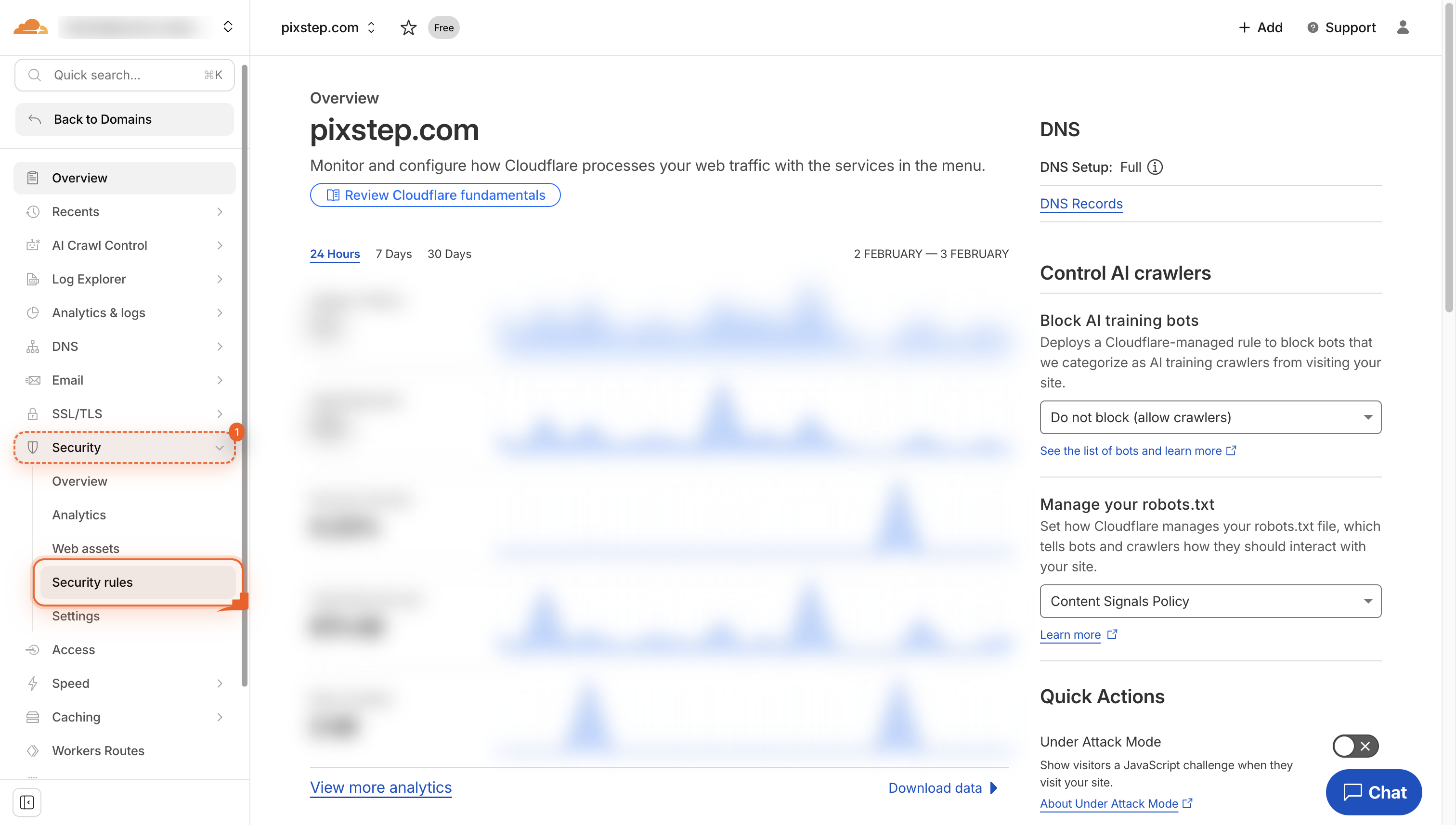
Open Security rules
Navigate to Security rules in the left menu so you can manage your site's protection settings.
-
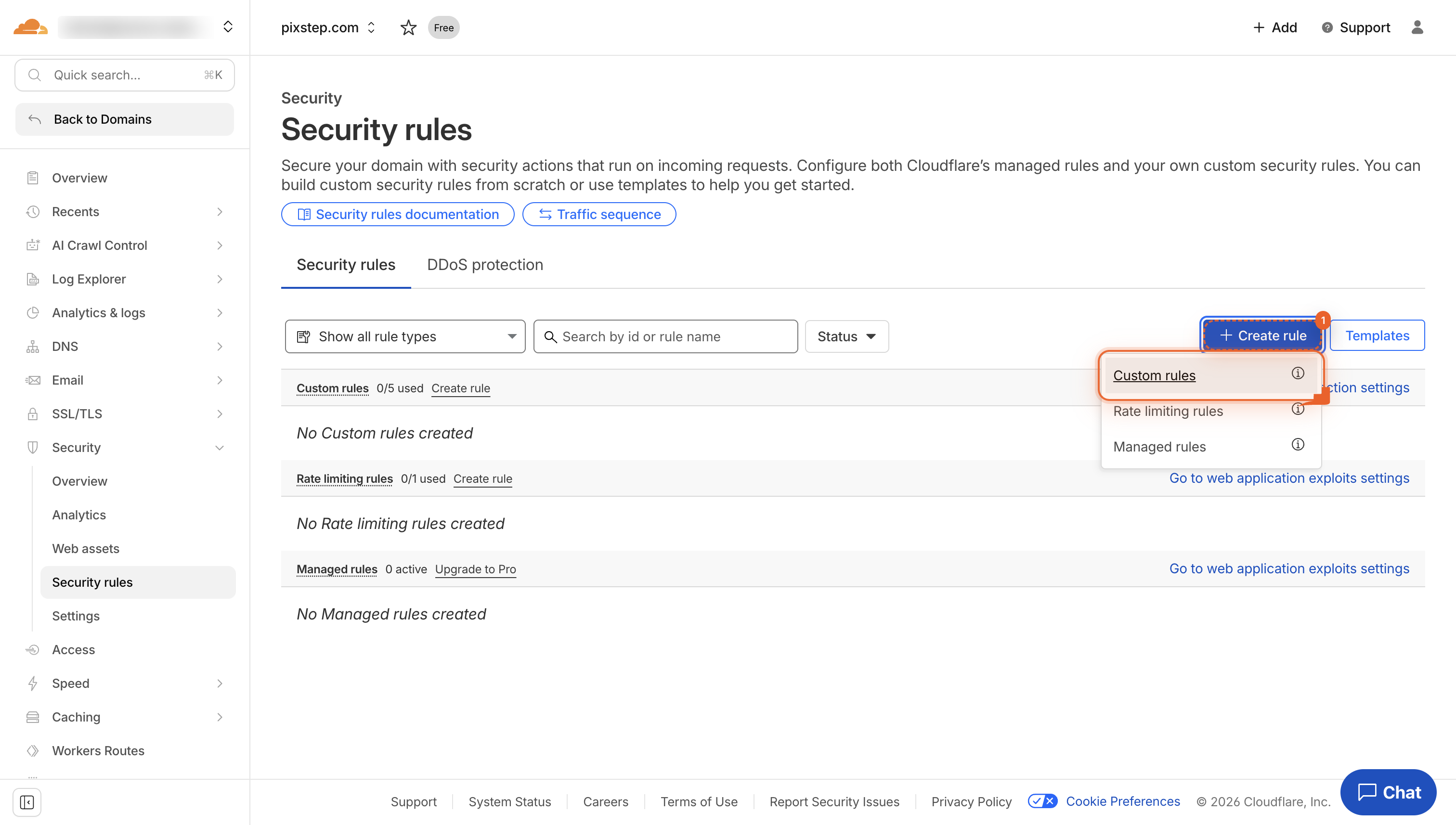
Click Custom rules
Select Custom rules to open the area where you build your own firewall rules. This keeps your site safe from specific threats you choose.
-
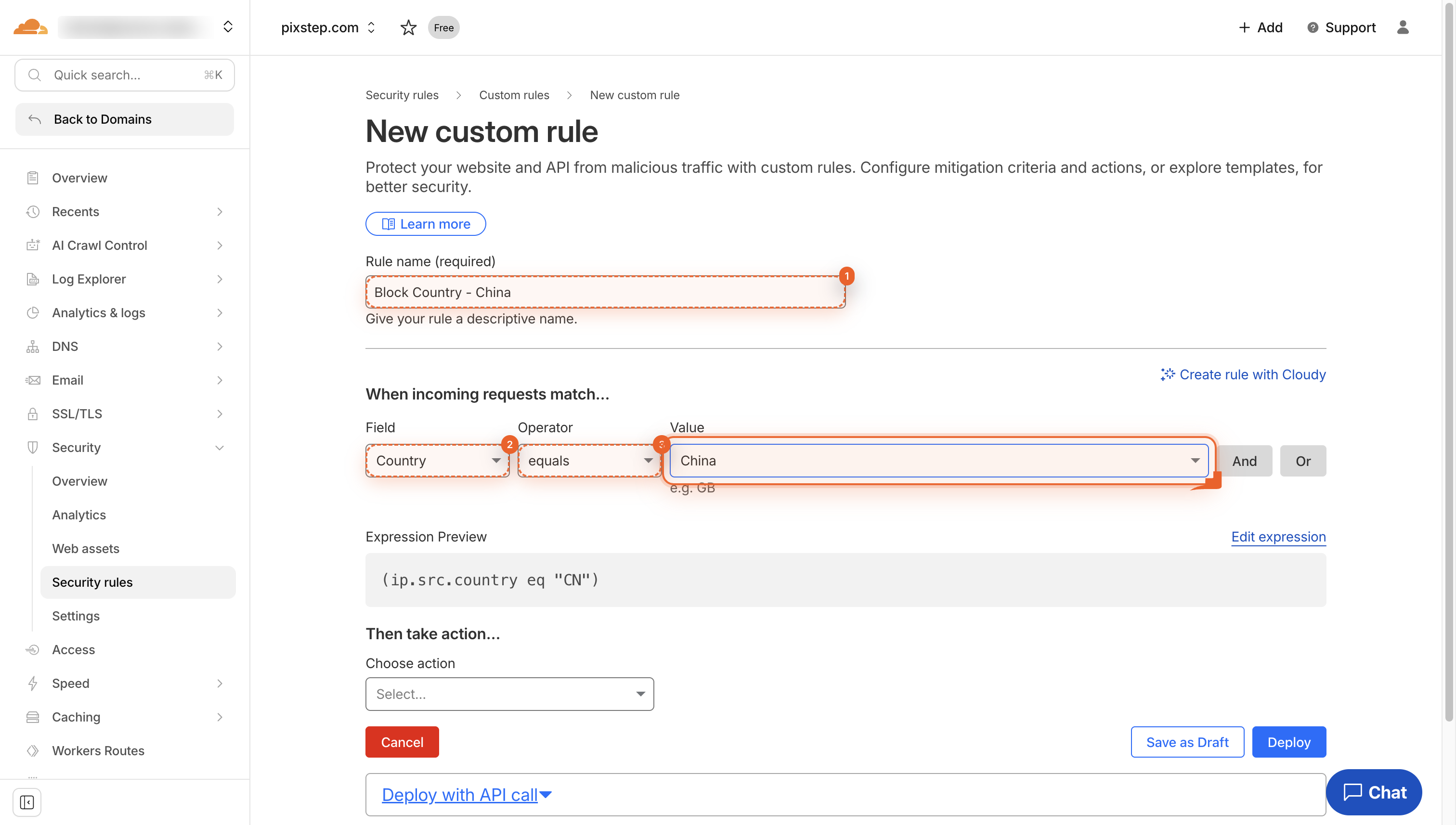
Name rule and pick Country
Type a name for the rule. Choose Country, then equals. This sets how the rules will work.
-
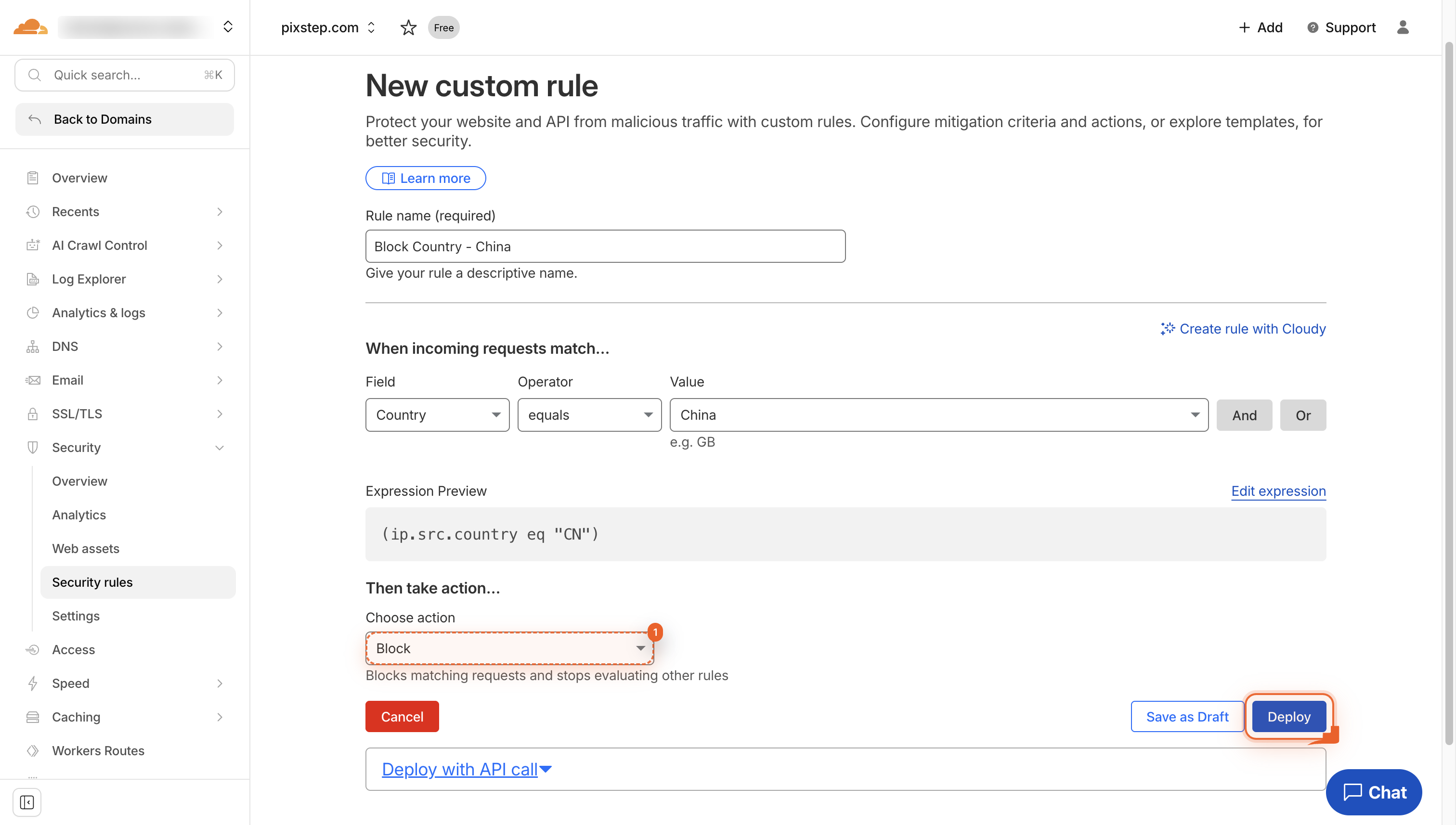
Deploy the rule
Click Deploy to make the rule live. It will block matching traffic right away.
-
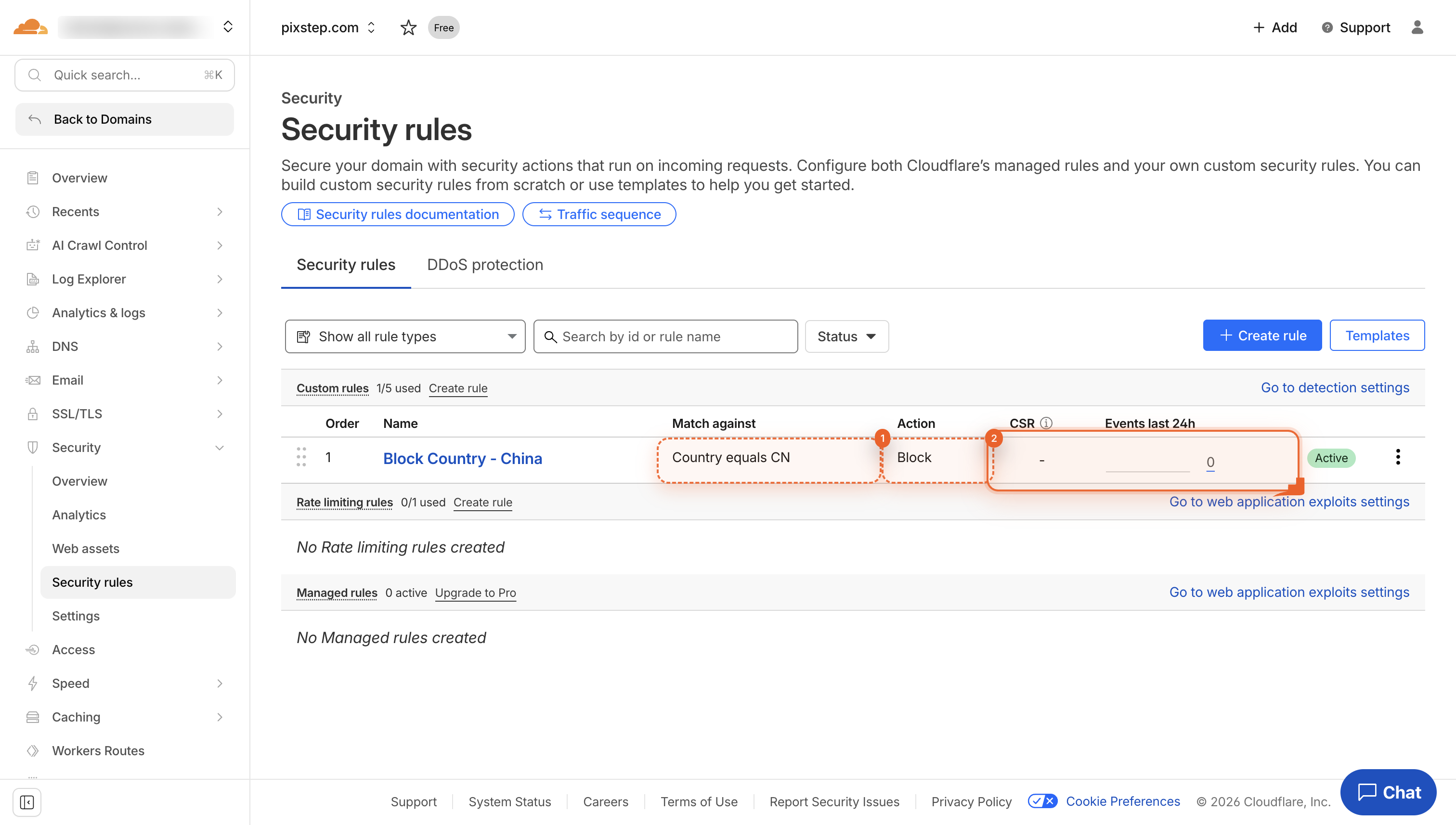
Check rule details
Look at the row. You see 'Country equals CN' and 'Block'. This rule now blocks China.
Pro Tips
- Test the rule with a VPN before you announce it-make sure real users aren’t locked out.
- Combine countries in one rule (e.g., “Country equals CN OR RU”) to keep your firewall list tidy.
- Set the action to “Challenge” first; watch traffic for a day, then switch to “Block” once you’re confident.
- Export firewall-event logs weekly to spot false positives and fine-tune your geo list.
FAQ
- Will country blocking hurt my SEO or Google rankings?
- No. Search-engine crawlers like Googlebot run from US IPs, so they’re unaffected. Just don’t block the United States or the markets you actively target.
- Can I block more than one country in a single rule?
- Yes. Use the OR operator (e.g., “Country equals CN OR RU”) so one tidy rule covers every region you want to exclude.
- What if a legitimate visitor is wrongly blocked?
- Switch the action to “Challenge (managed)” first, monitor the firewall-event logs, then whitelist the user’s IP or country once you’re confident traffic is clean.
Your site now silently turns away unwanted countries before they consume bandwidth or server resources. Tweak the list anytime, and rest easy knowing Cloudflare’s edge network handles the heavy lifting for free.
Join the discussion
0 Comments