

You can move an entire domain to a new home without touching a single line of server code. In this quick guide you’ll use Cloudflare’s DNS and Rules to send every visitor-along with their original path and query string-straight to your new site with a clean, SEO-friendly 301 redirect.
Best part? The change goes live in under five minutes, costs nothing extra, and you can roll it back instantly if you ever need to.
- Open your DNS records
- Add a placeholder A (or AAAA) record
- Open Cloudflare Rules
- Create a new redirect rule
- Pick the “redirect all traffic” template
- Name the rule and set a custom filter
- Deploy the 301 redirect
Step-by-step walkthrough
-
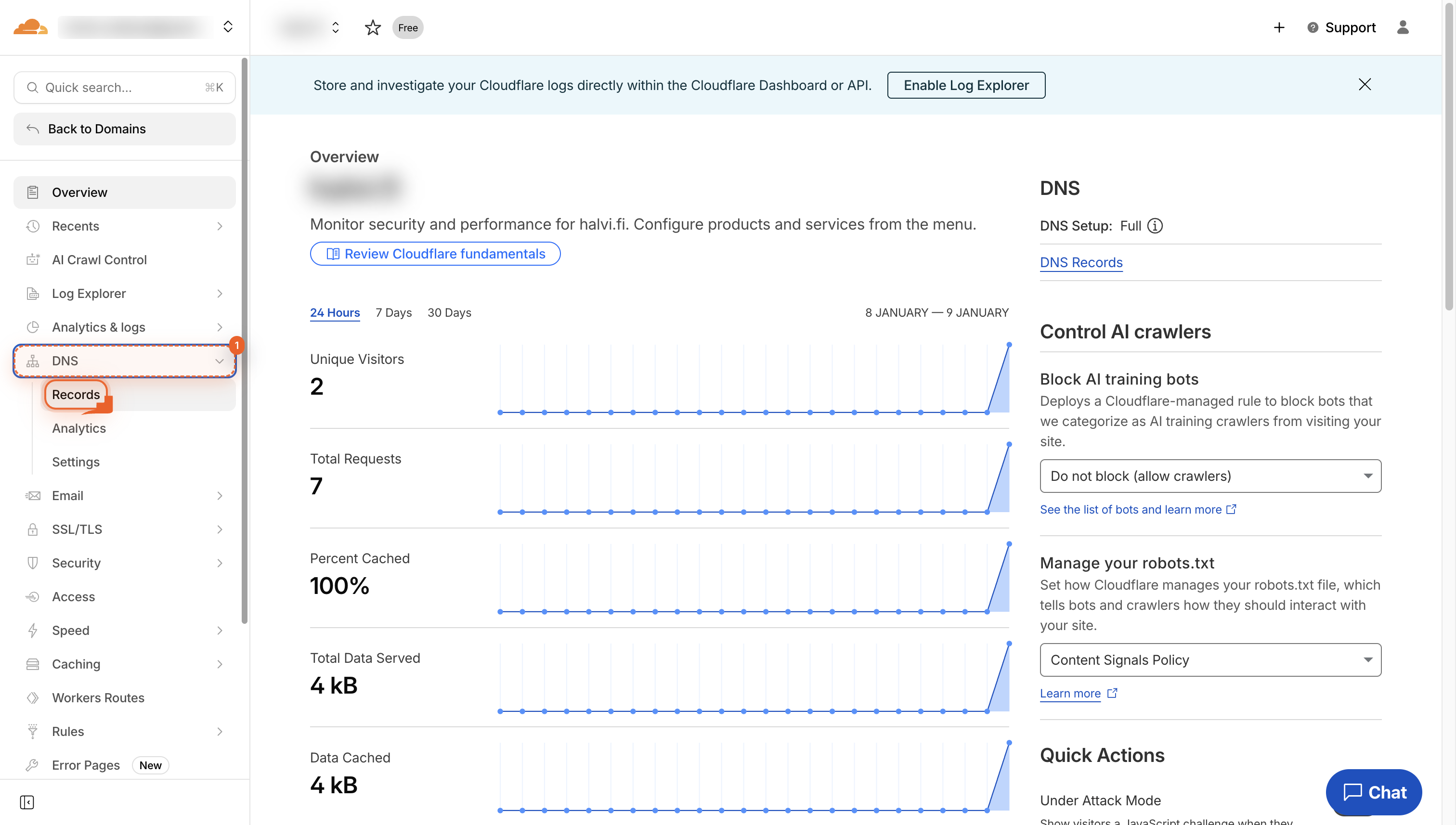
Open DNS Records
Navigate to the DNS section to manage your domain's records.
-
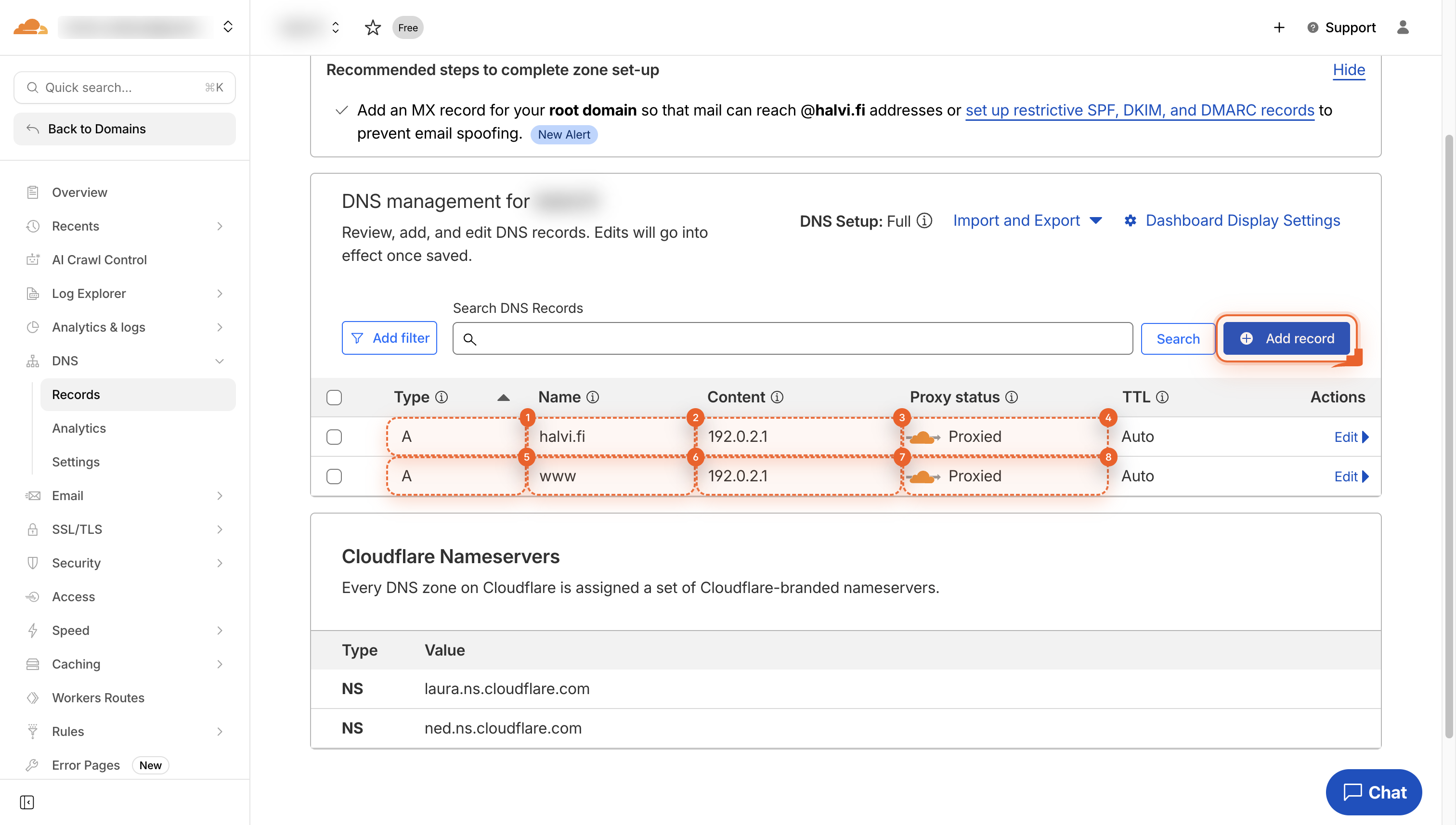
Click Add record
Tap the blue Add record button to open the form and create a new DNS entry. Use the IP address 192.0.2.1 for the A record. This address does not route traffic to an origin server but allows Cloudflare to apply rules, redirects, and Workers to incoming traffic. The equivalent IP address for an AAAA record is 100::.
-
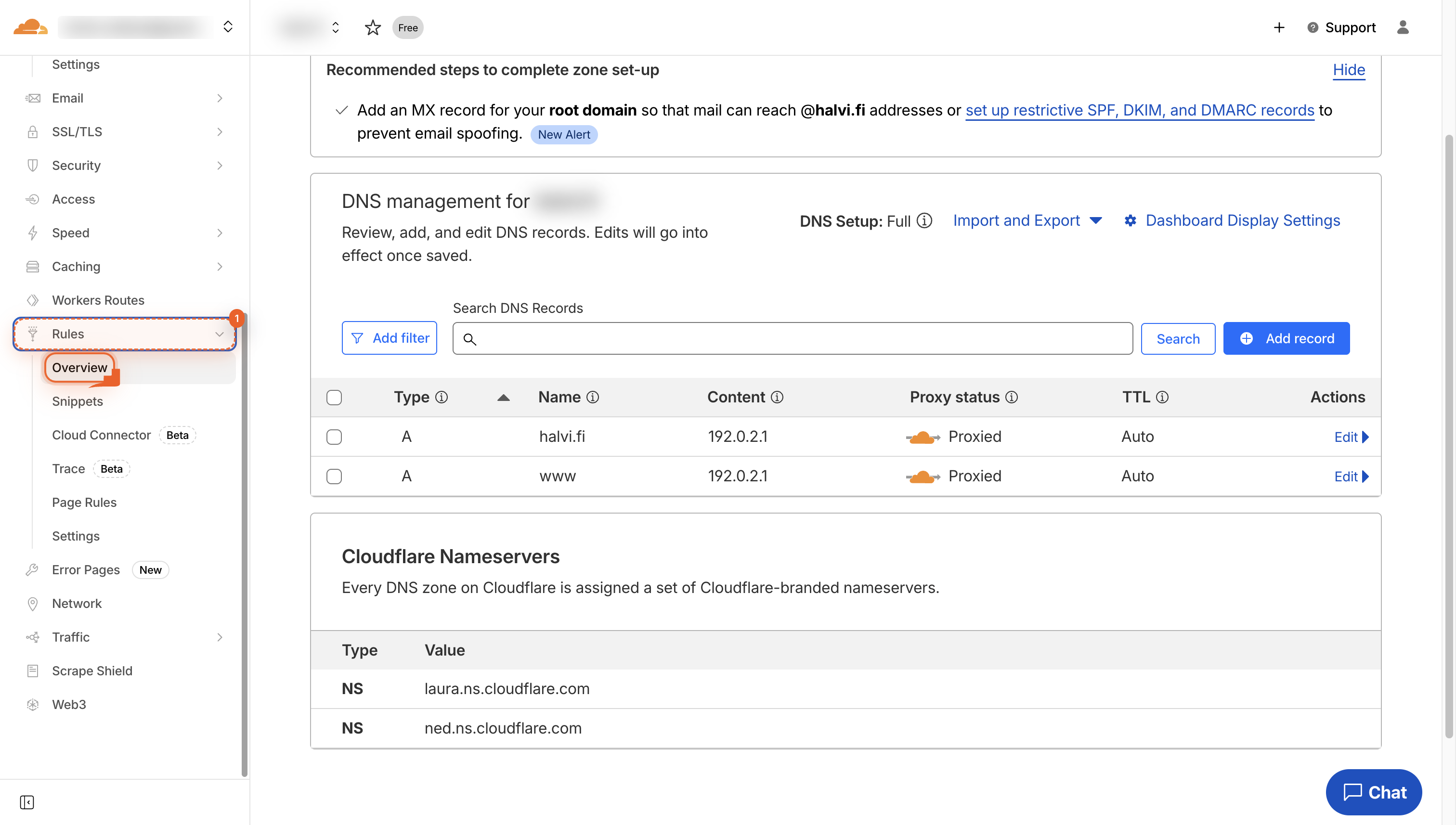
Click Rules
Click the Rules button in the left menu to open rule settings for your site.
-
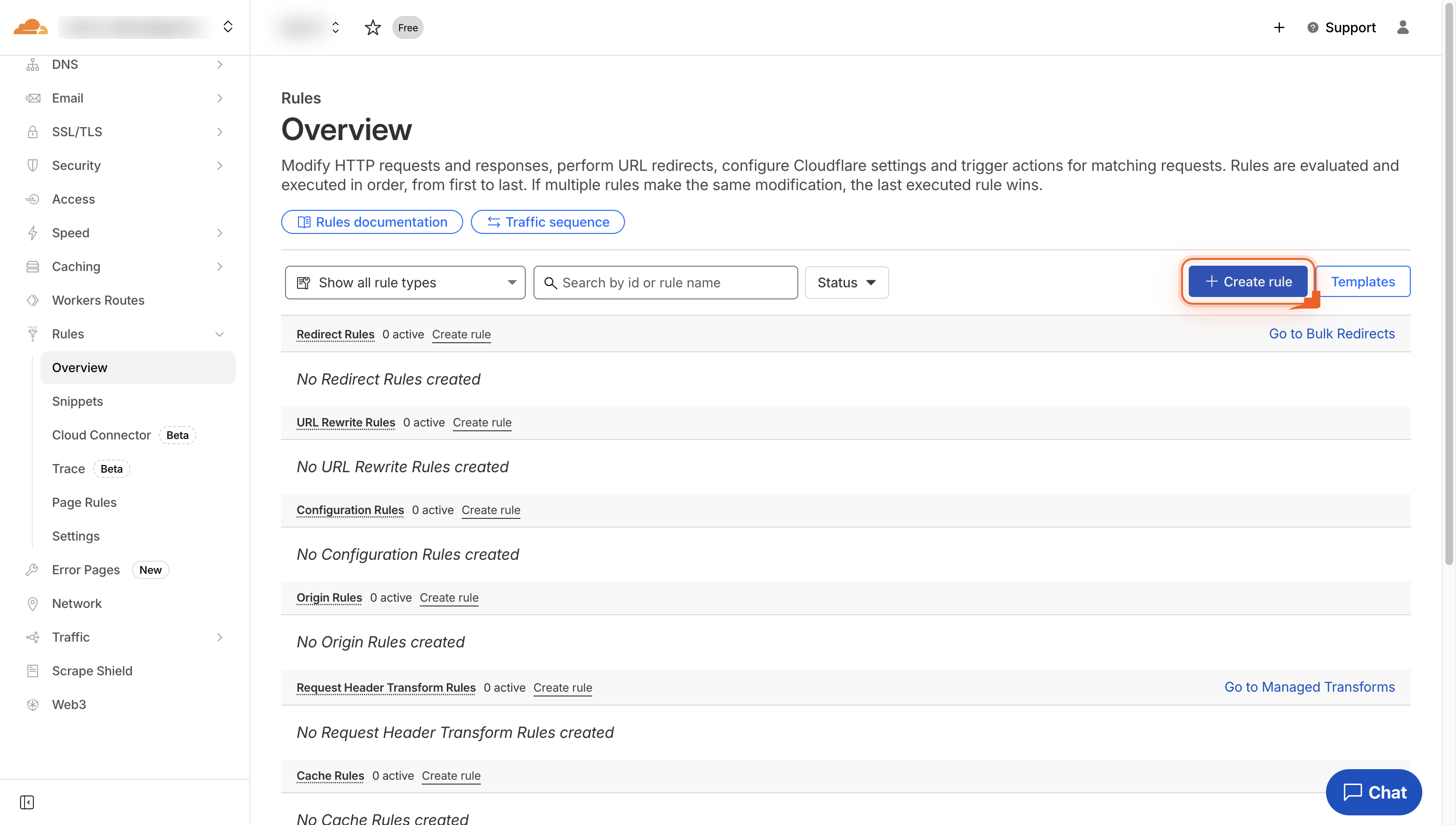
Click Create rule
Click the Create rule button to start building a new redirect rule for your site.
-
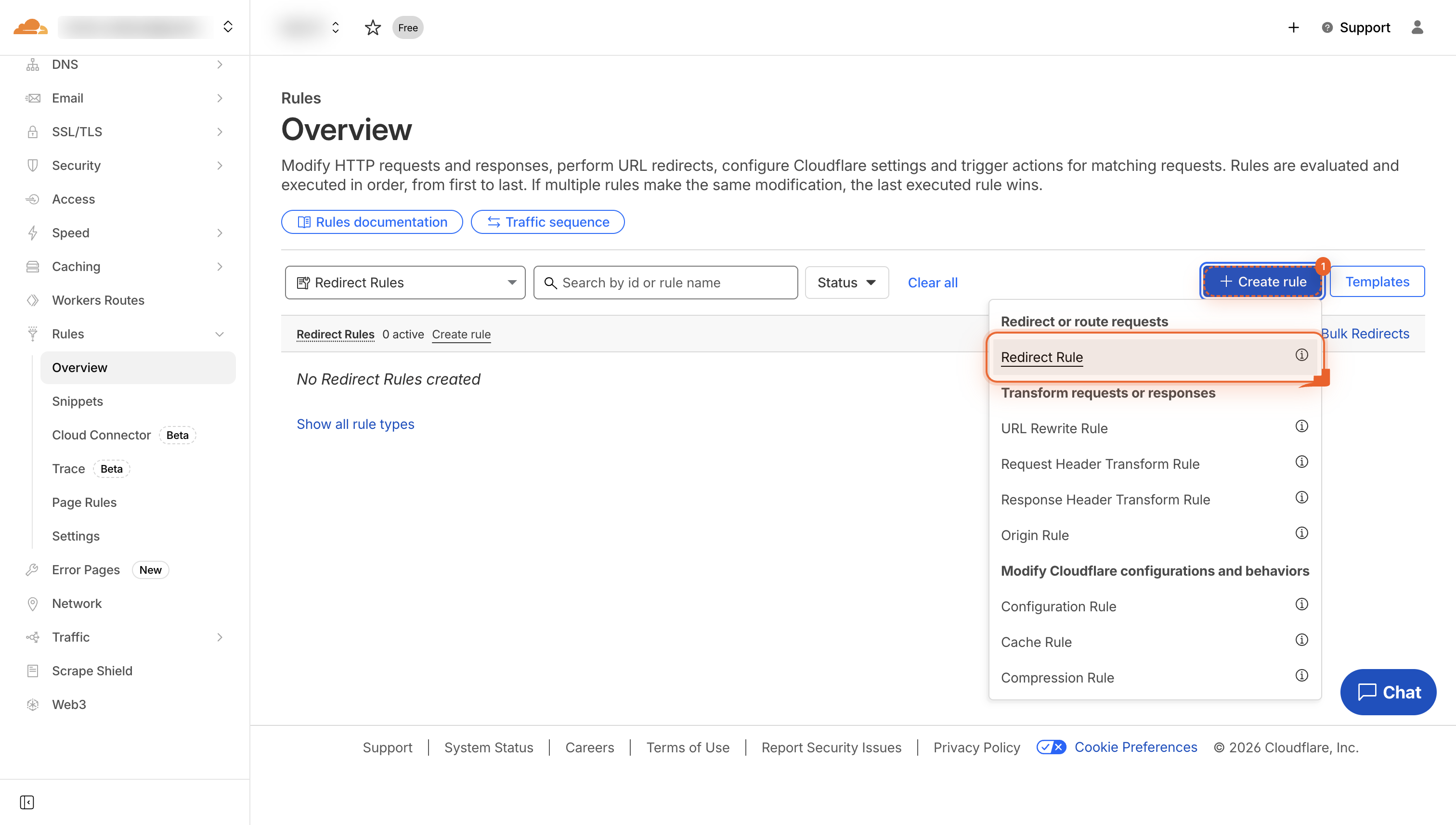
Click Redirect Rule
Choose Redirect Rule so you can set up a new redirect.
-
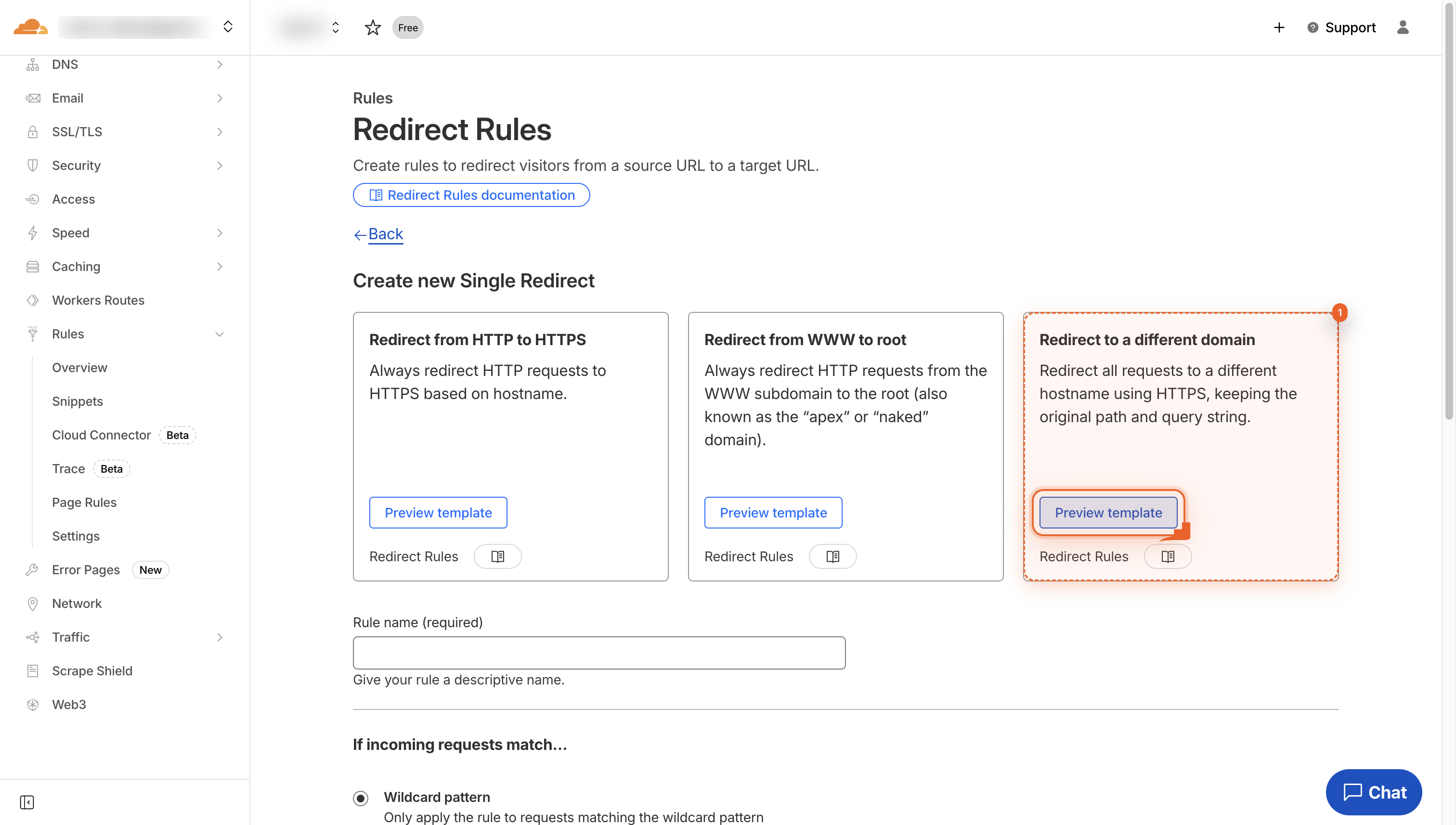
Pick redirect template
Click the card to redirect every request to a new domain while keeping the path.
-
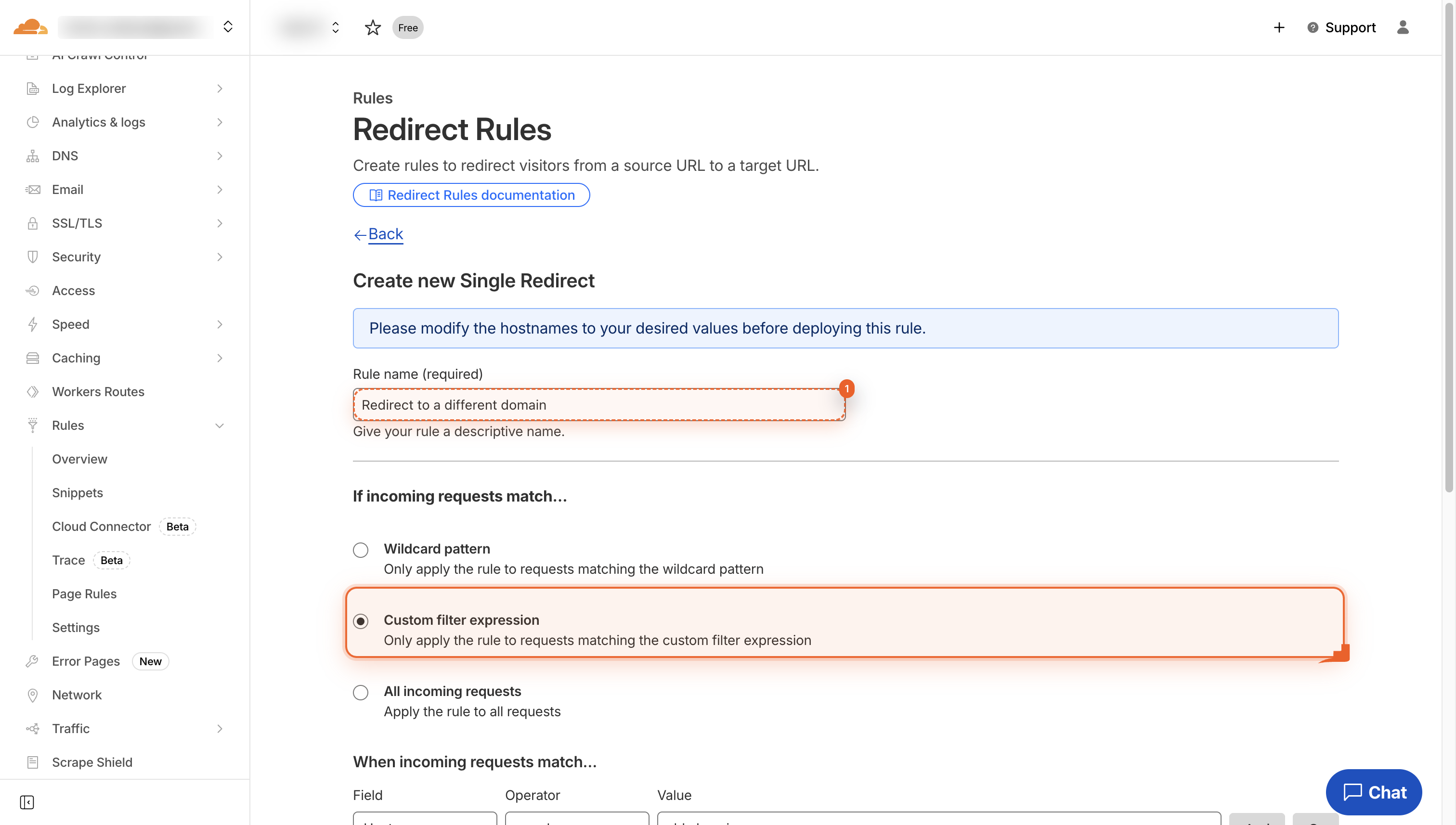
Name the redirect rule
Type a clear name like 'Redirect to different domain' so you can spot this rule later and choose 'Custom Filter Expression.'
-
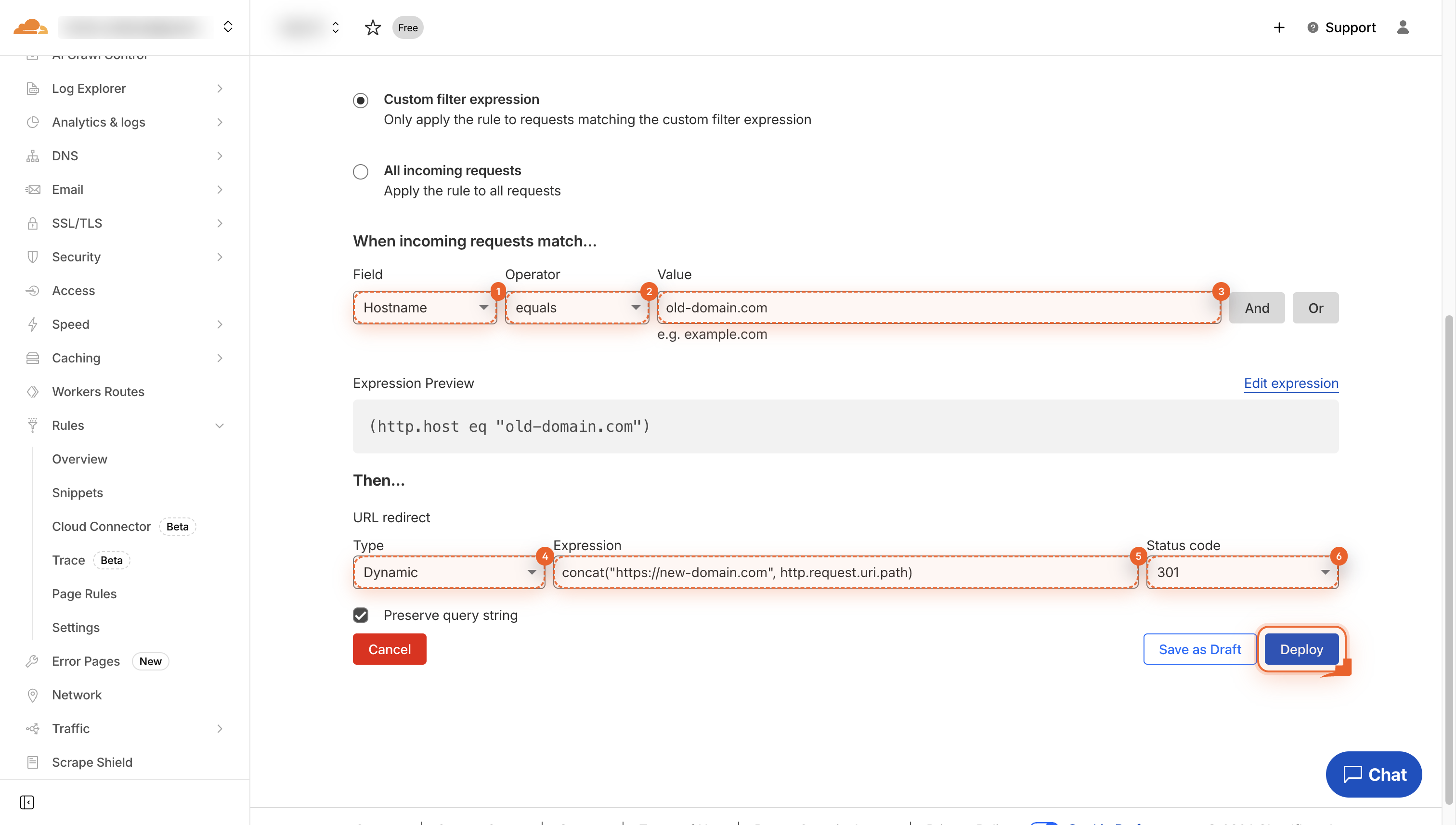
Deploy the redirect rule
Click Deploy. The rule now sends old-domain.com traffic to new-domain.com with a 301.
Pro Tips
- curl -I a test path to confirm the 301 before you go live.
- Set TTL to 2 min on the placeholder record for instant rollbacks.
- Keep the old domain on Cloudflare for 180 days to preserve SEO juice.
- Export rule JSON so you can recreate it in another account fast.
FAQ
- Will the redirect pass SEO authority to the new domain?
- Yes. A 301 tells search engines the move is permanent, so PageRank and most link equity flow to the new domain.
- Do I need a paid Cloudflare plan?
- No. Single Redirect Rules are free; just point DNS to Cloudflare first.
- How long does the redirect take to go live?
- After you click Deploy it’s active at the edge, usually under 30 seconds worldwide.
That’s it-your entire domain now 301-redirects to the new home, preserving rankings and backlinks without a single server tweak. The rule lives at Cloudflare’s edge, so it’s fast, free, and you can edit or remove it anytime in under a minute.
Join the discussion
0 Comments