

Need to stop a troublesome visitor cold? With Cloudflare’s custom firewall rules you can block a single IP address in under a minute-no plugins, no server tweaks, no downtime.
In this quick guide you’ll log in, create a targeted rule, and watch the unwanted traffic disappear, giving your site an instant security boost and extra peace of mind.
- Log in to Cloudflare and open Security
- Create a new custom firewall rule
- Set the IP address to block
- Deploy the rule and verify it’s active
Step-by-step walkthrough
-
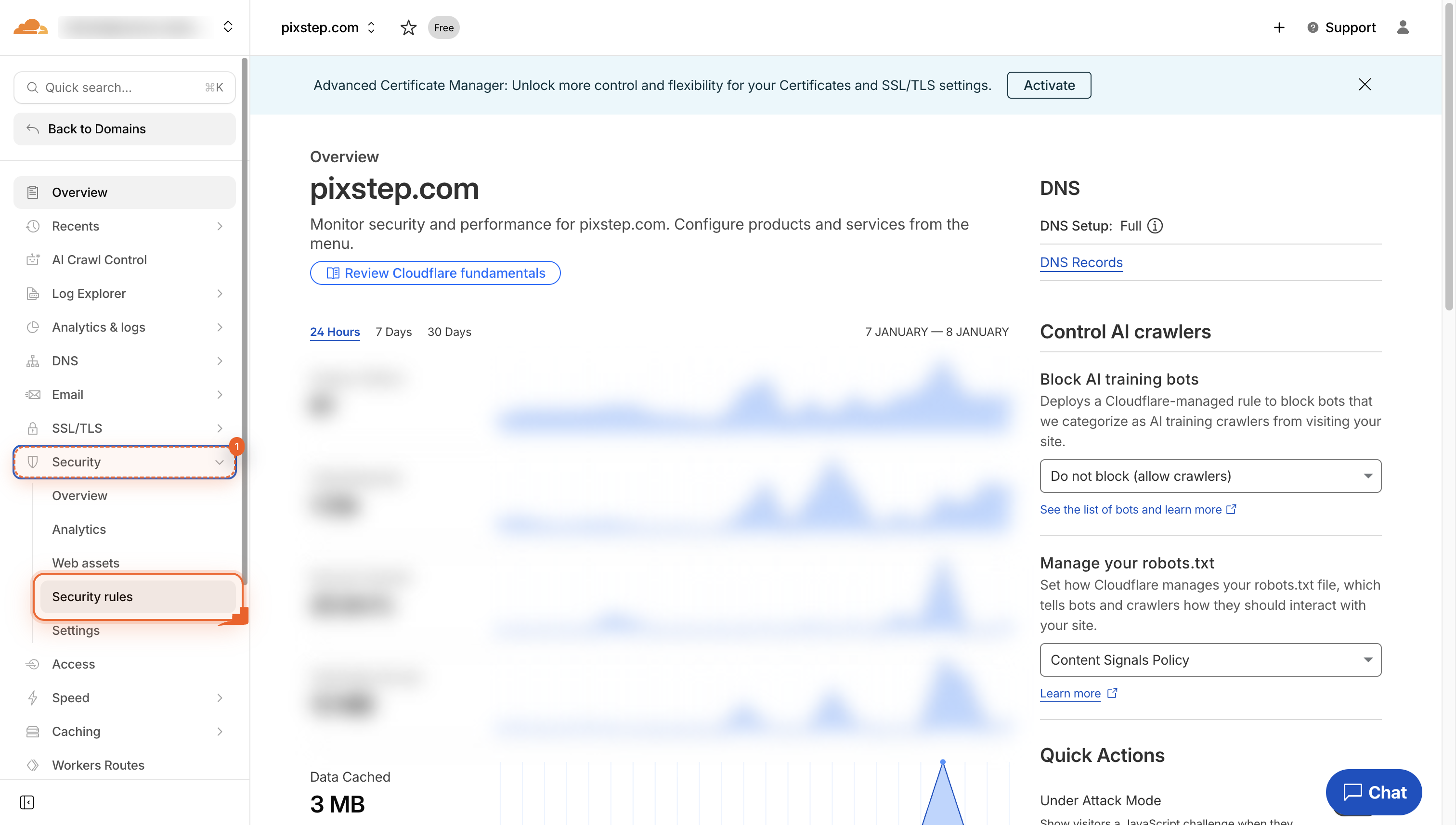
Open Security
Navigate to your site dashboard, then click Security in the left menu to reach the rules area.
-
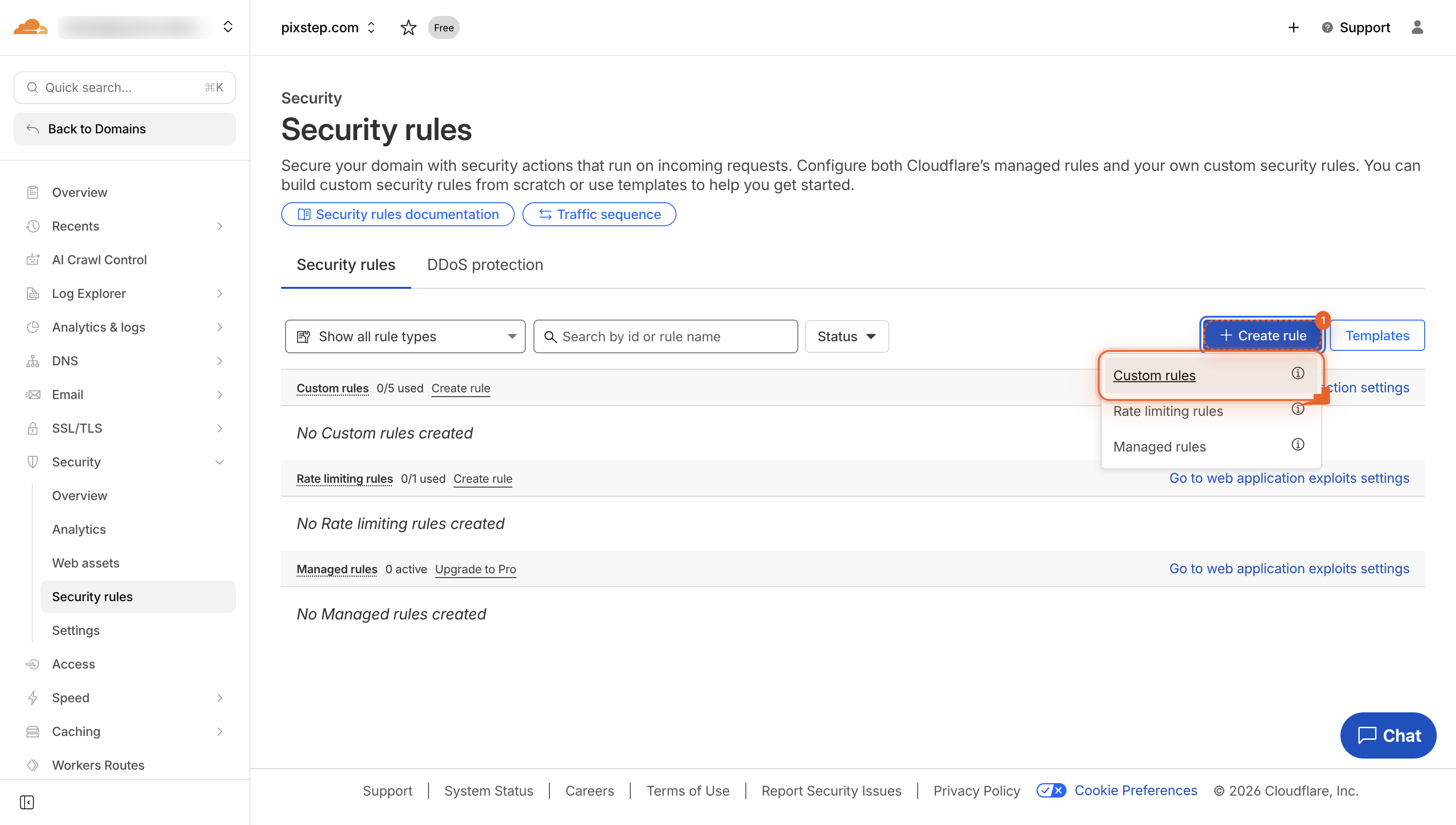
Open Custom rules
Click Custom rules to see your own firewall rules, then hit Create rule to add a new one.
-
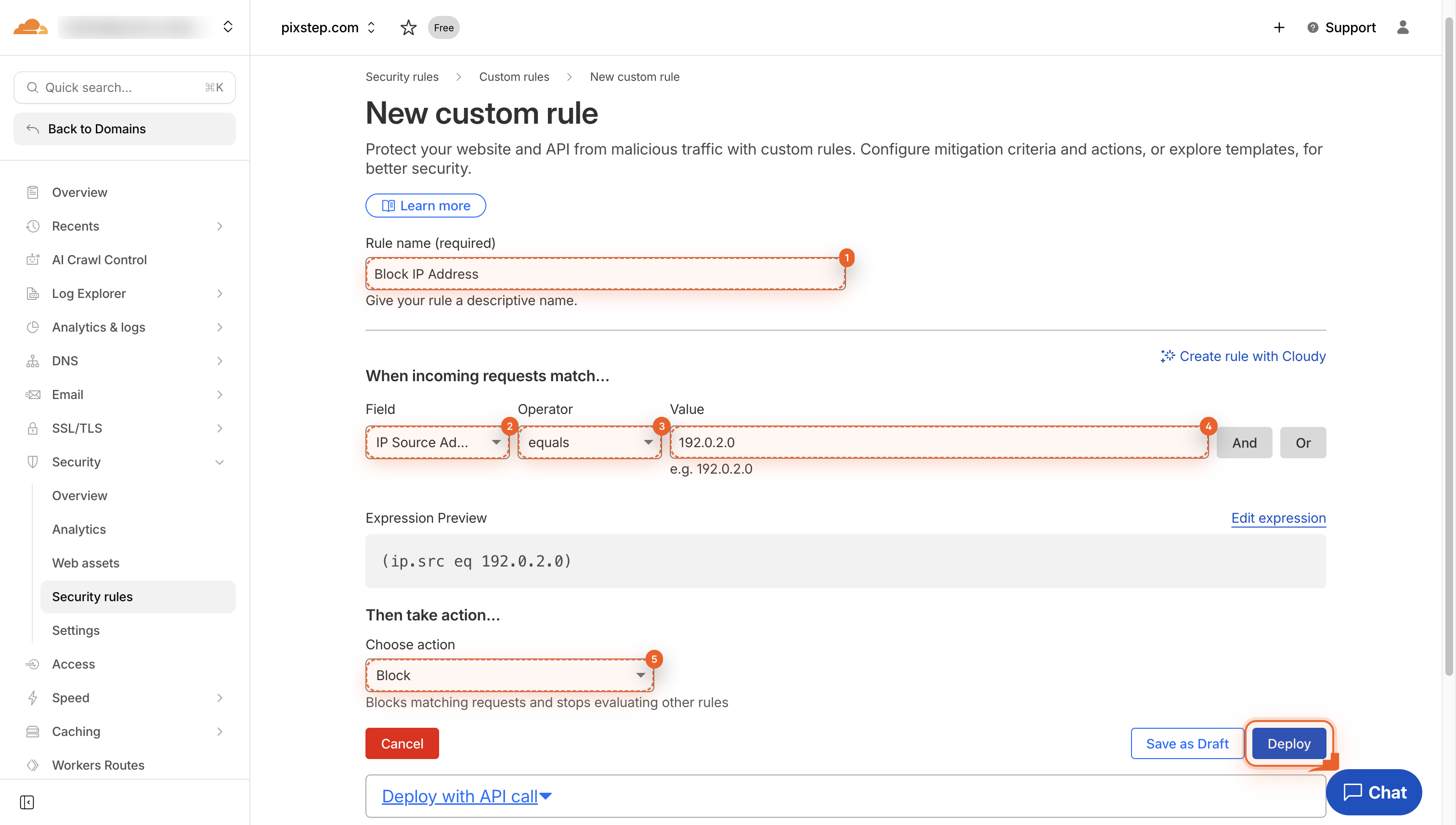
Deploy the rule
Click Deploy to save and activate your new block rule. It will start protecting your site right away.
-
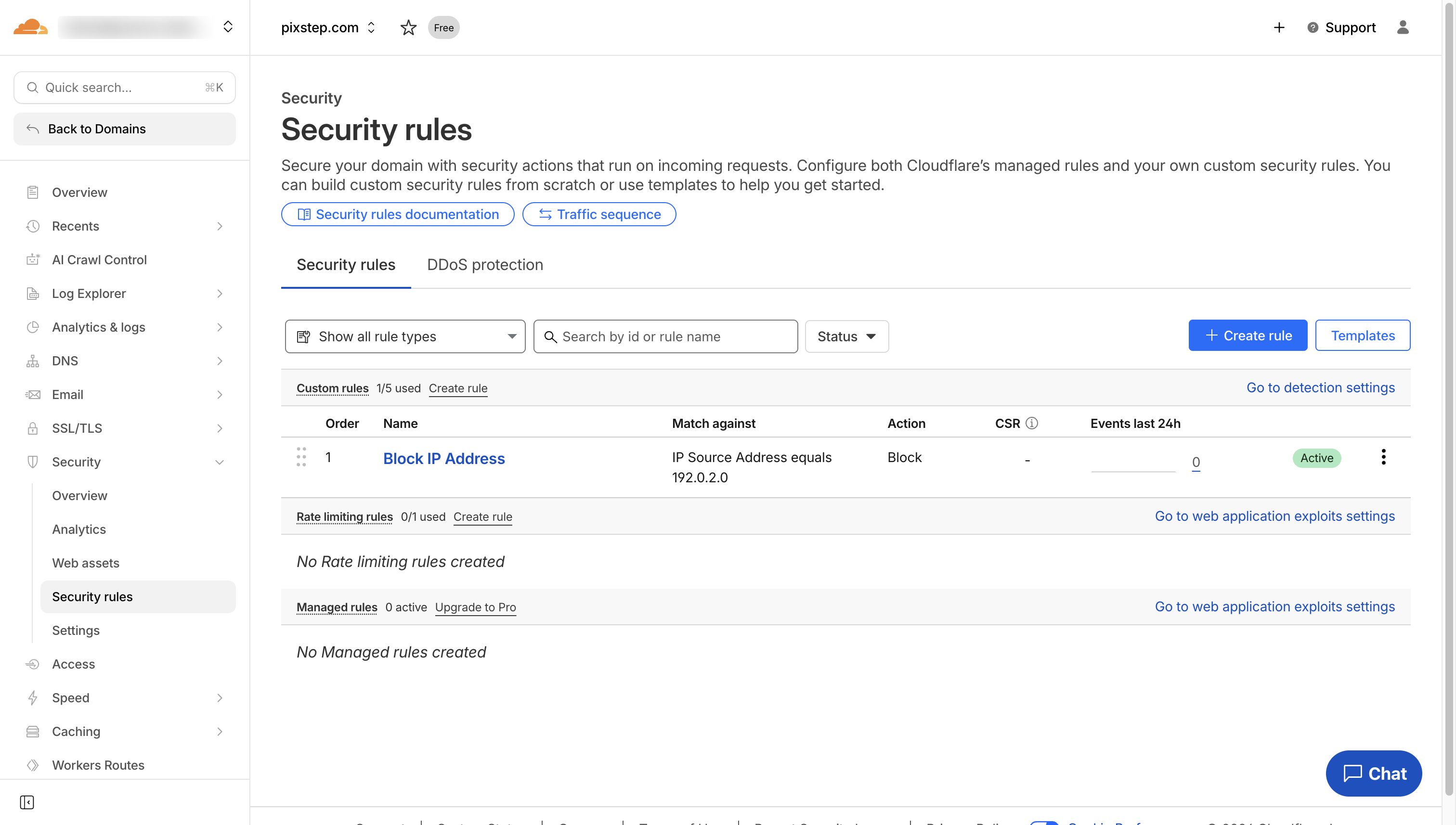
Rules now block the IP
Your new rule is live. It quietly blocks the IP you set.
Pro Tips
- Test the rule with your own IP first-set action to “simulate” to avoid locking yourself out.
- Combine IPs into CIDR ranges (e.g., 192.0.2.0/24) to block entire subnets with one rule.
- Give every rule a clear name like “Block-IP-192.0.2.1” so future you knows what it does.
- Check the Events tab after five minutes to confirm the block is firing and not catching good traffic.
FAQ
- Q: How fast does the block take effect?
- A: Cloudflare edge nodes update within 30-60 seconds, so the IP is usually stopped before you can refresh the Events tab.
- Q: Will the visitor know they’re blocked?
- A: They’ll see Cloudflare’s default “Access denied” page unless you create a custom error response under Custom Pages.
- Q: Can I unblock the IP later?
- A: Yes-return to Security Custom rules, toggle the rule off, edit the IP list, or delete the rule entirely; changes propagate just as quickly.
You’ve just added a bullet-proof gate to your site in under a minute-one IP blocked, zero load on your server, and no plugins to maintain. Keep the Events tab open for a few minutes to watch the hits drop, then pat yourself on the back: your Cloudflare edge is now handling troublemakers so your origin never has to.
Join the discussion
0 Comments